My audio in session randomly stops

  • Hi Dave, Rachel, and Forman,

    Thanks for your question. Would be grateful to know whether the suggestions below help.

    • Quit other apps that can use the M-Audio interface.
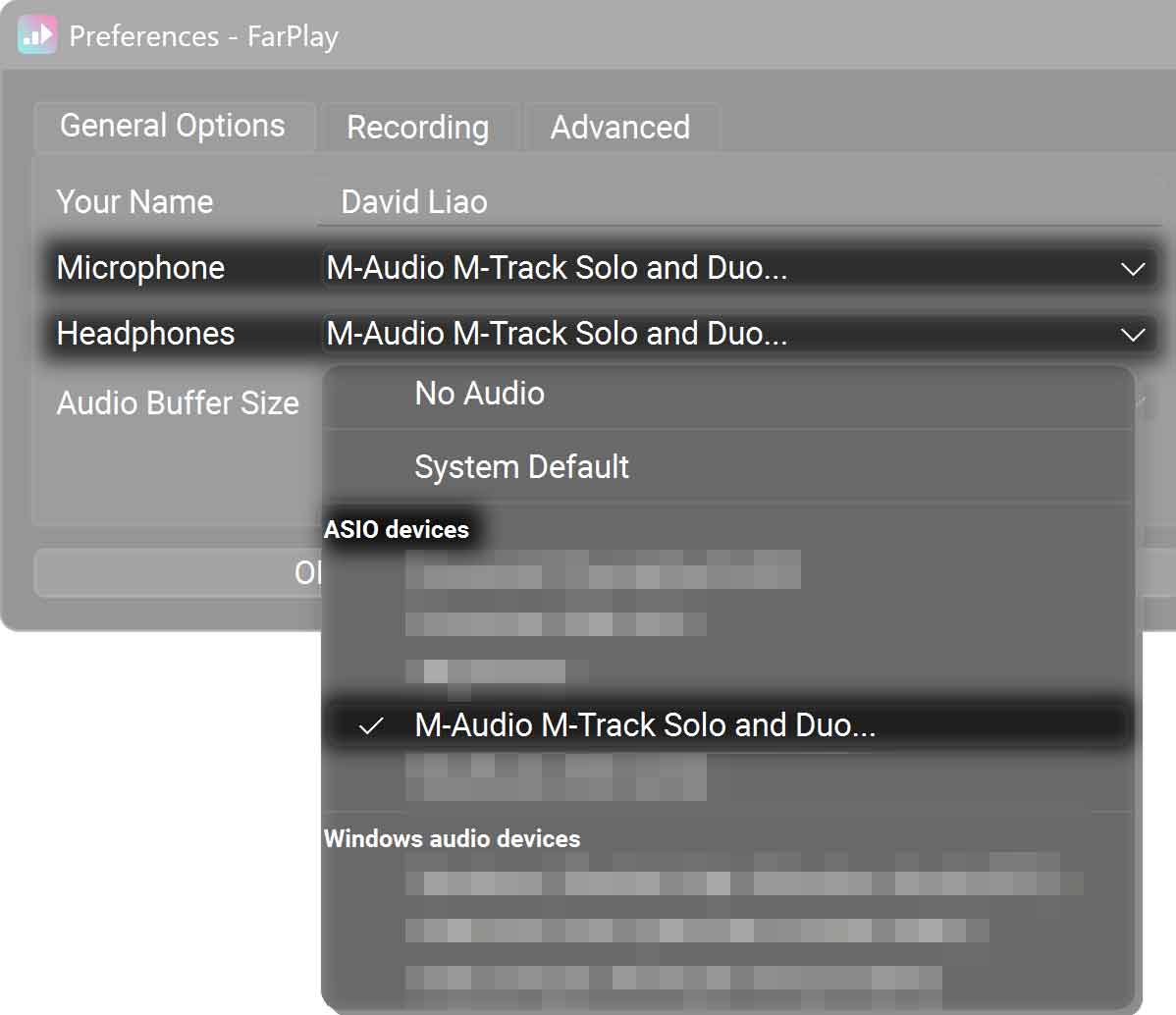
    • In FarPlay’s Preferences > General Options, check that the Microphone is still set to ASIO devices > M-Audio M-Track Solo and Duo…. Do the same for the Headphones.

      Then, click the ASIO Buffer Settings button.
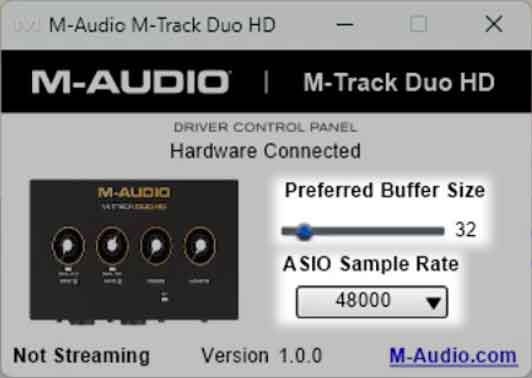
    • M-Audio’s ASIO control panel will appear (similar to screenshot below for another M-Audio model). Raise the Preferred Buffer Size to 256 (you can try smaller sizes of 32, 64, and 128 if you prefer a little lower latency — this matters to musicians playing music together online, but isn’t critical for podcast conversations). Check that the ASIO Sample Rate is 48000.
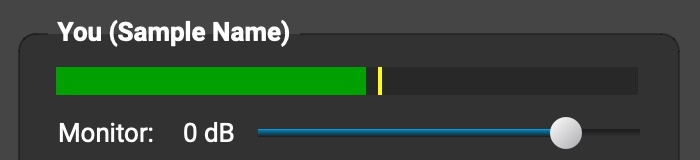
    • Test whether audio is working: go into a FarPlay session (could be just by yourself), drag the Monitor slider in the You (…) subpanel to 0 dB, and then speak and check that the level meter in the You (…) subpanel flickers and that you can hear your voice in your headphones. If the audio now seems stable, you can drag the Monitor slider in the You (…) subpanel back to muted (or wherever you prefer).
    • If the problem continues, go to Start > Settings > Apps > Installed apps. In the row for M-Audio M-Track Solo and Duo 1.0.x, click the three dots () and click Uninstall. Follow the on-screen instructions to finish uninstalling the M-Audio ASIO drivers.
    • Re-install the M-Audio ASIO drivers using the latest version from M-Audio’s website.
    • Repeat the first three steps (including checking Microphone and Headphones choices in Preferences and Preferred Buffer Size and Sample Rate in M-Audio’s ASIO control panel).
    • If your mic audio still randomly stops working, could you let us know whether switching FarPlay’s Devices > Microphone setting to No Audio and back to ASIO Devices > M-Audio M-Track Solo and Duo… restores your mic audio without rebooting your PC? Also, could you check whether Windows 11 Pro updated itself recently?

    Thank you,
    David Liao

    • This reply was modified 3 weeks, 2 days ago by David Liao.
    • This reply was modified 3 weeks, 2 days ago by David Liao.
    • This reply was modified 3 weeks, 2 days ago by David Liao.

    Working on the rest of your suggestions, thank you!

    But first to answer your Windows Update question, yes, the last update before this problem began was installed two days earlier: https://support.microsoft.com/en-us/topic/january-24-2026-kb5078127-os-builds-26200-7628-and-26100-7628-out-of-band-cf5777f6-bb4e-4adb-b9cd-2b64df577491

    🙏

Viewing 3 replies - 1 through 3 (of 3 total)
  • You must be logged in to reply to this topic.