Show Mixer is grayed out, cannot use (Mac)

  • Dear Ernie,

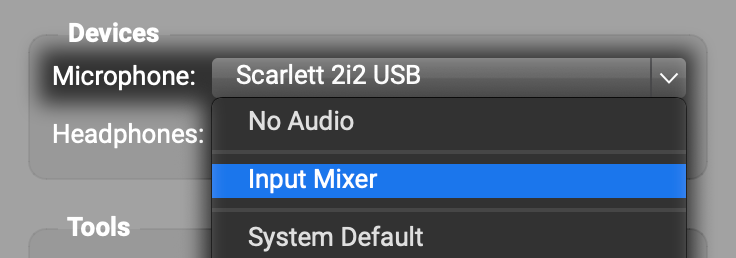
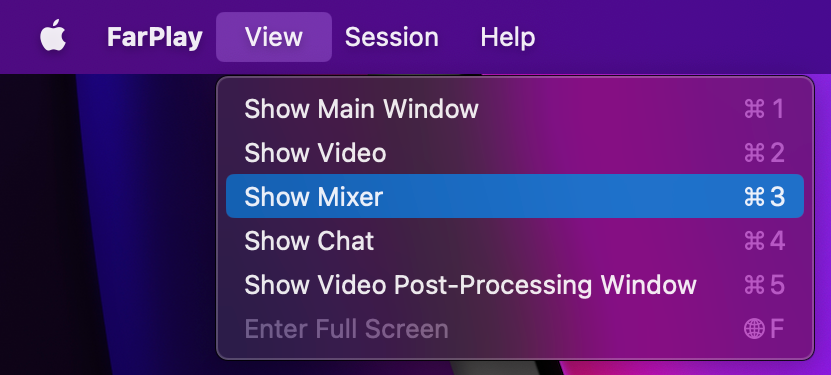
    Thanks for your question. Having a grayed-out Show Mixer item in the View menu just means that the mixer is currently closed. To open the mixer, click the Microphone pull-down menu in the Devices subpanel and choose Input Mixer (second item).

    Once the mixer is open, the Show Mixer option in the View menu will be clickable (no longer grayed out).

    Enjoy,
    David Liao

    • This reply was modified 17 hours, 12 minutes ago by David Liao.
    • This reply was modified 17 hours, 10 minutes ago by David Liao.
    • This reply was modified 17 hours, 10 minutes ago by David Liao.
Viewing 1 replies (of 1 total)
  • You must be logged in to reply to this topic.