Reply To: FX in mixer channel not working

Dear Kenneth,
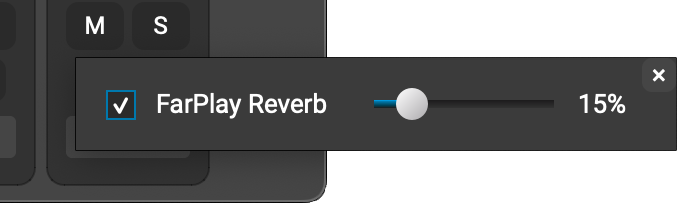
When you click the FX button  for the track you want to add reverb to in the Input Mixer, make sure the FarPlay Reverb checkbox is checked. Then, drag the reverb slider to get the amount of reverb you want.
To hear the reverb you’re adding to the sound you send to others, find the You (Your Name) subpanel at the top of FarPlay’s main window and drag the Monitor slider toward the right.
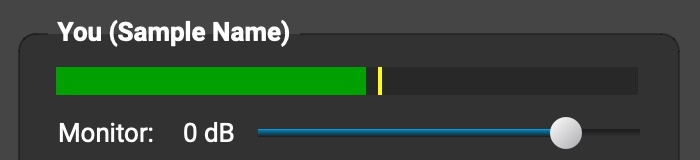
(If you drag the monitor slider in the You (Your Name) subpanel all the way to the left, you won’t hear the reverb you’re adding to the sound you’re sending to other musicians.
Thank you,
David Liao
-
This reply was modified 11 months, 2 weeks ago by
 David Liao.
