Scratching Sound

  • Dear Meinolf,

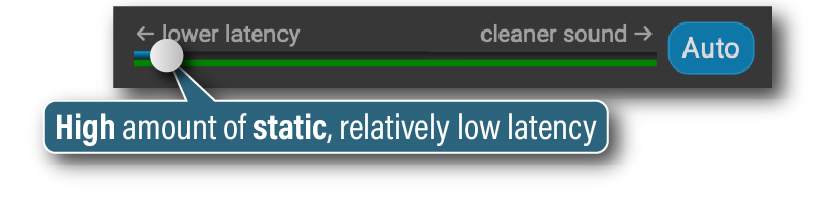
    Thanks for your question. On your end, please drag the latency slider, a little bit at a time, to the right and see whether you can get acceptable audio quality while still having low enough latency. (When the slider is completely to the left, there may be a lot of crackling).

    If dragging the latency slider to the right doesn’t fix the scratching sound or makes the latency too high, do the following at your end and your partner’s end (you might have done this already):

    • Use fiber, cable, or vDSL (European vDSL is often good) internet.
    • Use an Ethernet cable to connect the computer to the router that receives the internet signal where the signal first enters the home (avoid wireless repeater/extender routers and Ethernet-over-power adapters). If your computer doesn’t have an Ethernet port, use an Ethernet adapter for USB-C or USB-A.
    • Turn your computer’s Wi-Fi off.
    • Turn VPN off, if used.

    If you’d like to browse more suggestions, go to our Troubleshooting Guide, click “Change computer” and “Change audio” as needed, and look through the suggestions under “Latency is too high” (these tips often help fix crackling noise).

    Thank you,
    David Liao

    • This reply was modified 19 hours, 35 minutes ago by David Liao.
    • This reply was modified 19 hours, 32 minutes ago by David Liao.
    • This reply was modified 19 hours, 31 minutes ago by David Liao.
    • This reply was modified 19 hours, 30 minutes ago by David Liao.
Viewing 1 replies (of 1 total)
  • You must be logged in to reply to this topic.