Dear Kevin,
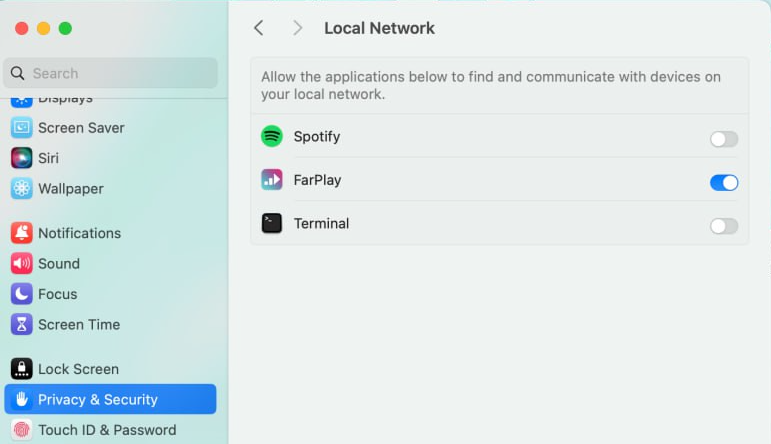
Thanks for your question. On your new iMac, go to System Settings > Privacy & Security. Choose Local Network. Click the toggle switch to give FarPlay permission (original post here).

If FarPlay still can’t connect, make sure that, on your new iMac, VPN is off and the firewall is off too (System Settings > Network > Firewall).
Yes, you don’t need to go back to the old computer. FarPlay will work on your new iMac.
Thank you,
David Liao
-
This reply was modified 9 months, 2 weeks ago by
 David Liao.
-
This reply was modified 9 months, 2 weeks ago by
David Liao.
-
This reply was modified 9 months, 2 weeks ago by
David Liao.
-
This reply was modified 9 months, 2 weeks ago by
David Liao.
We have followed your (David Liao) instructions from yesterday, ie, System Settings > Privacy & Security > Local Network, but Nothing is showing on the Local Network screen.
The firewall has been turned off; however we cannot find the new iMac VPN to ensure it’s off. Please advise.
The ethernet to iMac adaptor USB 10/100 LAN is showing as connected (green light on as well), along with the Wi-Fi’s connection, BUT below that, under the Other services, both the Ethernet and USB 10/100/1000 LAN are showing as Not Connected (with corresponding red lights).
The FarPlay app, when opened, continues to state, ‘trying to connect’ (but cannot)
Otherwise, the Farplay app seems fine (video, monitors), except when we try to start a session, it cannot proceed.
Dear Kevin,
Thanks for your update. Very helpful to know the green light is on for your new iMac’s Wi-Fi! Could you share what happens when you try the following on your new iMac? I’d be happy to follow up with instructions accordingly.
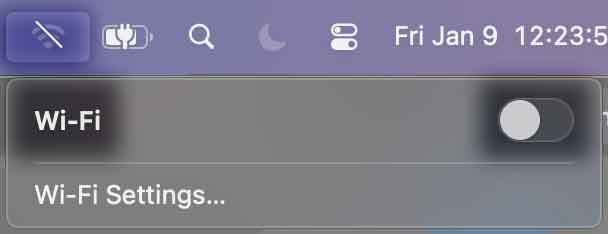
- Turn Wi-fi off.
- Try to browse websites using Safari.
- If turning Wi-Fi off breaks your new iMac’s internet connection, reboot your new iMac and wait a minute. If this doesn’t help, reboot your router.
- If you still can’t browse the web with Wi-Fi off, go to the System Settings > Network > USB 10/100 LAN screen and email a screenshot to support@farplay.io.
- If you can browse the web with Wi-Fi off, try connecting with someone on FarPlay. Would you like to do a test call with me? If so, please email a preferred phone number for scheduling to support@farplay.io.
Thank you,
David Liao
-
This reply was modified 9 months, 2 weeks ago by
David Liao.
-
This reply was modified 9 months, 2 weeks ago by
David Liao.
(Edit from David Liao: Before I merged this message into this thread, this message had a subject line of “The ethernet is connected!).
Thanks very much, David, for your help. The problem’s been resolved and we’re all good to go.
Kevin
-
This reply was modified 9 months, 2 weeks ago by
David Liao.
-
This reply was modified 9 months, 2 weeks ago by
David Liao. Reason: Mentioned topic that vanished when merging forum threads
Dear Kevin,
That’s great news 🥳. Thanks for letting us know!
Enjoy FarPlay,
David Liao