Dear Frédéric,
Thanks for your question. Please do the following to let the other FarPlay session participants hear your NOIRE piano sound from Logic Pro.
Set up your evo 8’s loopback routing
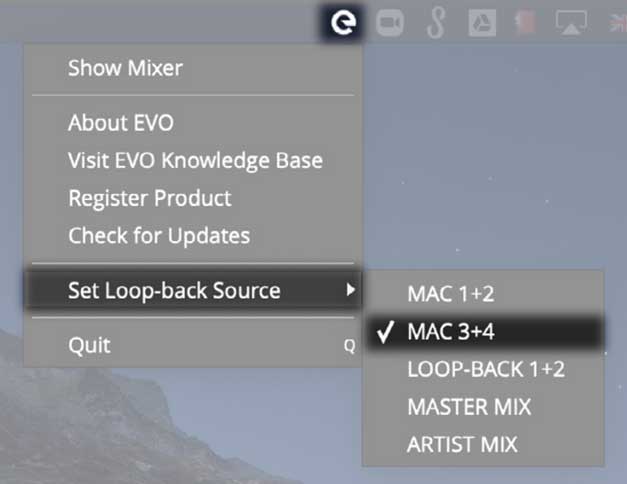
- In the EVO menu, click Set Loop-back Source and choose MAC 3+4 (screenshot modified from evo 8 manual):

Configure Logic Pro
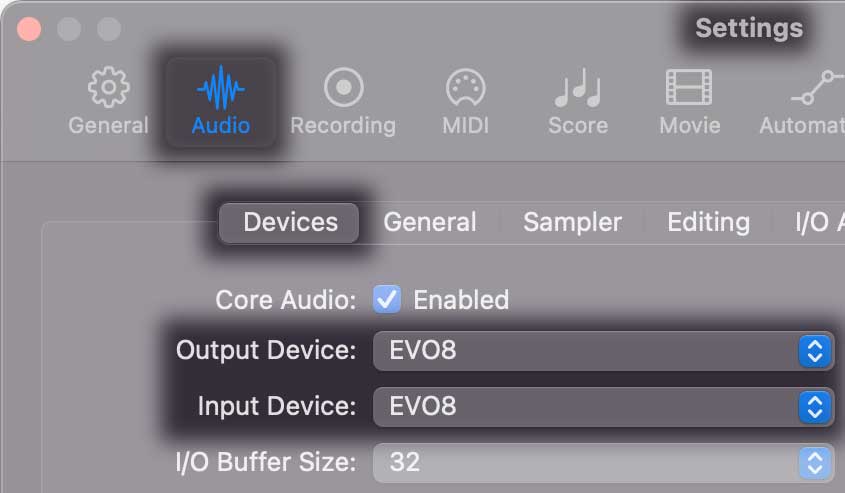
- In Logic Pro, go to Settings > Audio > Devices, and set Output Device and Input Device to the EVO8.
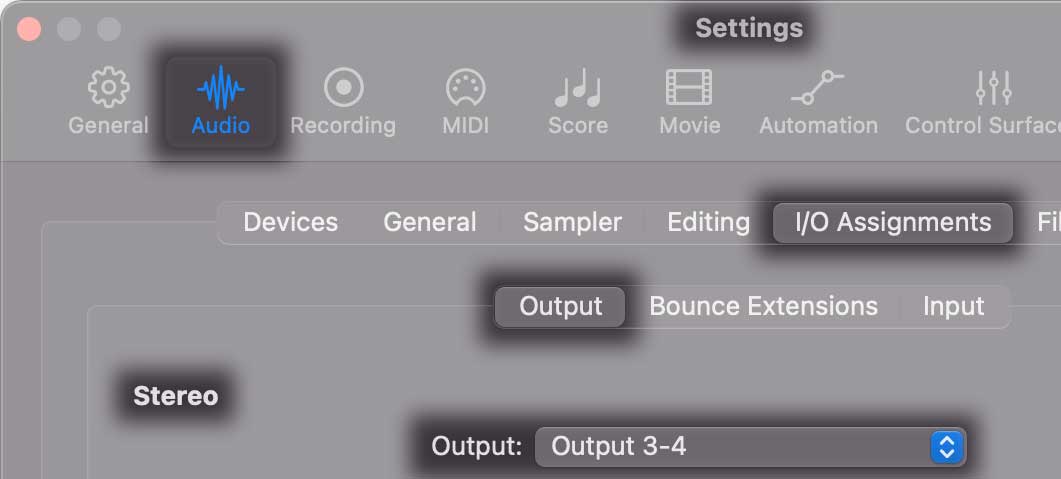
- Go to Settings > Audio > I/O Assignments > Output > Stereo, and set the Output to Output 3/4.
Configure FarPlay’s Input Mixer to use your evo 8
- Open a FarPlay session (just by yourself is fine).
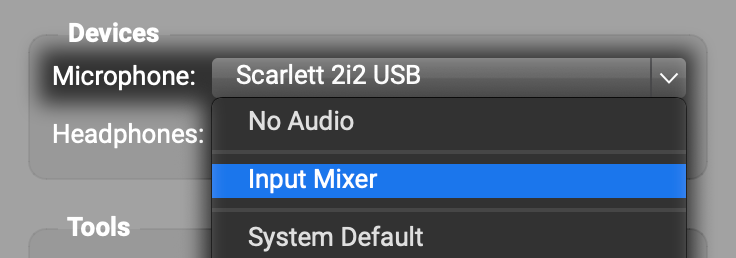
- In FarPlay’s Devices subpanel, set Headphones to the EVO8 and set Microphone to the Input Mixer.
- In the Input Mixer window that opens, press the circled plus to create additional tracks until you have one track for your mic and one for your piano.
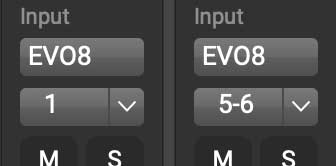
- For the first track, set the input device (initially says “No Audio”) to EVO8, and set the input channel underneath to 1 (or whichever input channel you plugged your mic into). For the second track, set the input device (also initially “No Audio”) to EVO8, and set the input channels to 5-6 (these are the loopback channels on your evo 8 bringing audio from Logic into FarPlay).
-
Adjust the mix you’re sending using the mixer’s gain sliders and pan pots (knobs), as described in our mixer instructions.
-
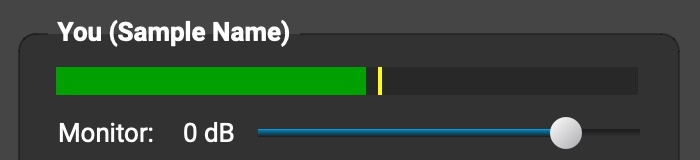
If you’d like to hear in your headphones the mix you’re sending to remote musicians through FarPlay, drag the Monitor slider in the You (…) subpanel to 0 dB.
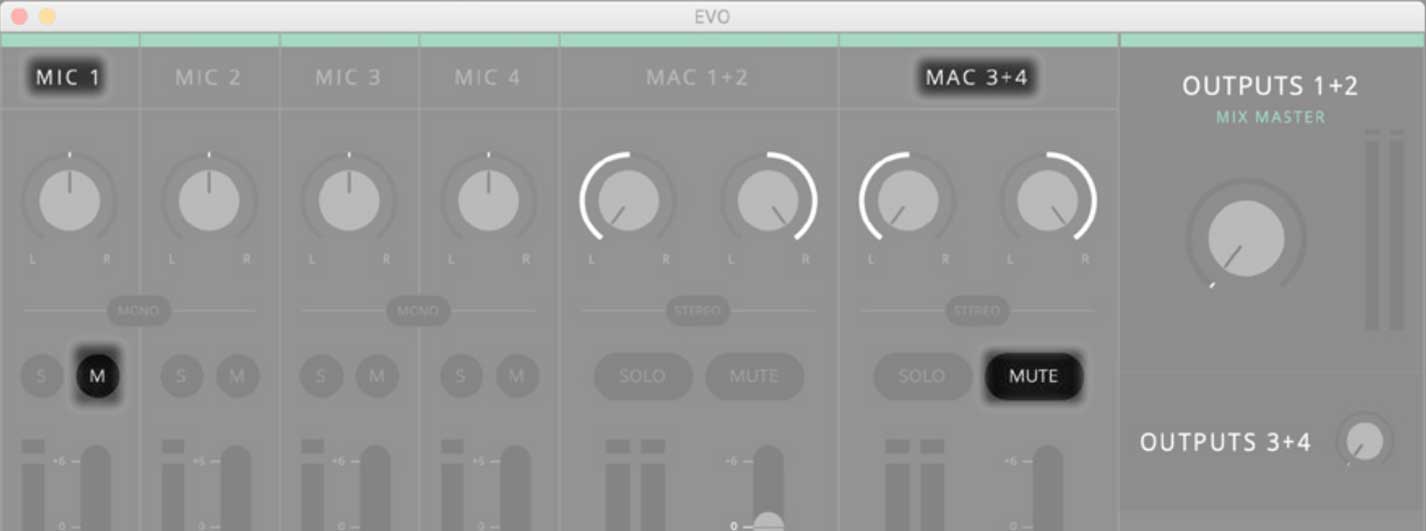
Then, mute your mic and MAC 3 + 4 in your EVO Mixer (screenshot modified from evo 8 manual):
Thank you,
David Liao
-
This reply was modified 7 months, 2 weeks ago by
 David Liao.
-
This reply was modified 7 months, 2 weeks ago by
David Liao.
-
This reply was modified 7 months, 2 weeks ago by
David Liao.
Well. It’s so precise. Thanks a lot! After several hours to find a solution, I will try this.
Thanks so much!
Frederic
Thanks a lot. All is ok. I can practice now with a band with the sounds I want. It’s marvellous in possibilities!
You’re very welcome. Thanks for sharing this happy update.
Enjoy,
David Liao