Dear Paul,
Thanks for your message. Please open the FarPlay app and, before opening a session, look for the button that says “Account” or “Log in / Subscribe”.

If the button says “Log in / Subscribe“, click the button and then click “Authorize this device” in the webpage that appears.
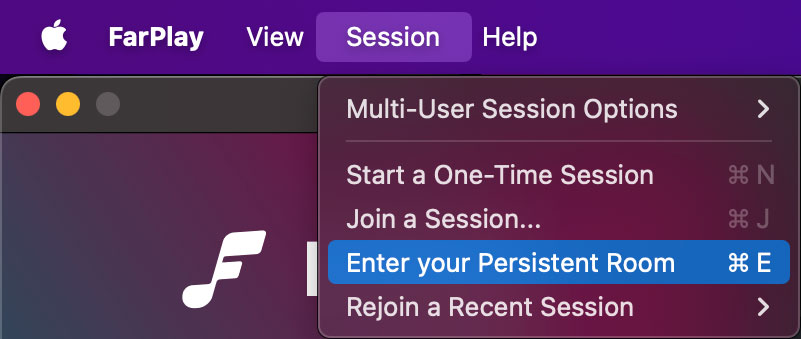
Once you have an “Account” button on FarPlay’s welcome screen, check that you can create or use a Persistent Room as usual: click the Session menu and then choose Create a Persistent Room or Enter your Persistent Room.
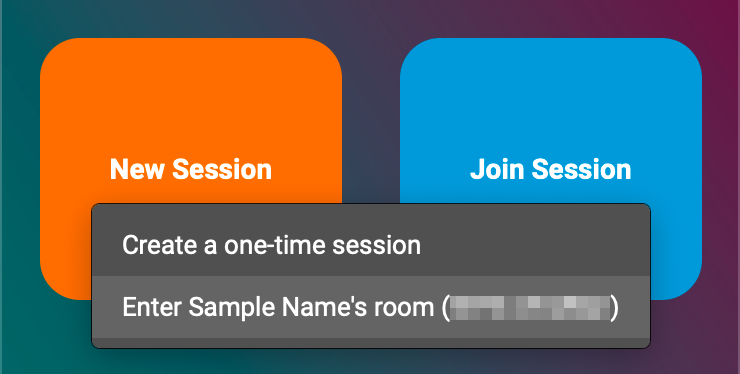
Or, click the New Session button and then click Enter … or Create a Persistent Room.
Thank you,
David Liao
-
This reply was modified 5 months, 2 weeks ago by
 David Liao.
-
This reply was modified 5 months, 2 weeks ago by
David Liao.
-
This reply was modified 5 months, 2 weeks ago by
David Liao.