Hi Ned,
Thanks for your post! When you hear someone else’s voice only in one ear, please try the following.
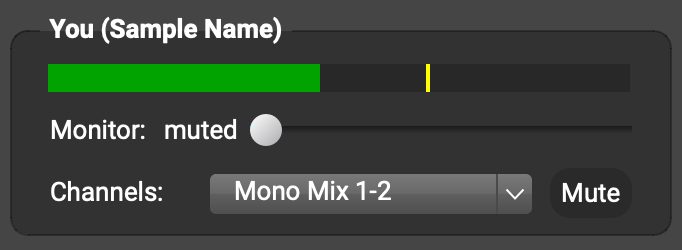
- Ask the other person to switch their Channels pull-down menu to Mono Mix (or Mono). They’ll find the pull-down menu in their You (…) subpanel.

- If you still hear the other person’s voice only in one ear, go to Preferences > General Options on your computer and set the Headphones row to Stereo, channels 1-2.
When another musician sounds very quiet, please try the following (might need just one of these suggestions).
- Make sure your headphones are plugged in snuggly.
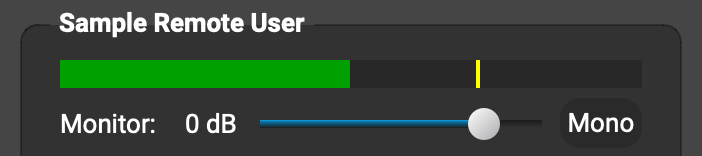
- In the FarPlay app on your computer, find the subpanel with the other person’s name, and drag the monitor slider in it to the right.
- Raise your computer’s audio level outside of FarPlay, using the audio level keys on your keyboard or, if you use an audio interface, the headphones-volume knob on the interface.
- Ask the other person to turn their microphone up. If their microphone or audio interface has a gain knob, have them turn that knob. If their mic has no gain knob, have them adjust their mic gain in their computers’ settings.
- If they’re using a Windows PC, ask them to go to Start > Settings > System > Sound, click More Sound Settings (Windows 11) or Sound Control Panel (Windows 10), go to the Recording tab, double-click their microphone, go to the Levels tab, and drag the mic level slider to the right.
- If they’re using a Mac, have them go to System Settings > Sound > Input, click their microphone, and drag the Input volume slider to the right.
They can check their new mic-input level by watching the level meter under You (…) in their own FarPlay window, where they want to see green when they speak.
A convenient version of these instructions is available at our Troubleshooting guide. Use the Change computer and Change audio buttons as needed, and then browse the Someone is too quiet or too loud section.
Thank you,
David Liao