Using a virtual amp

  • Dear Zach,

    Thanks for your post. Could you try the following?

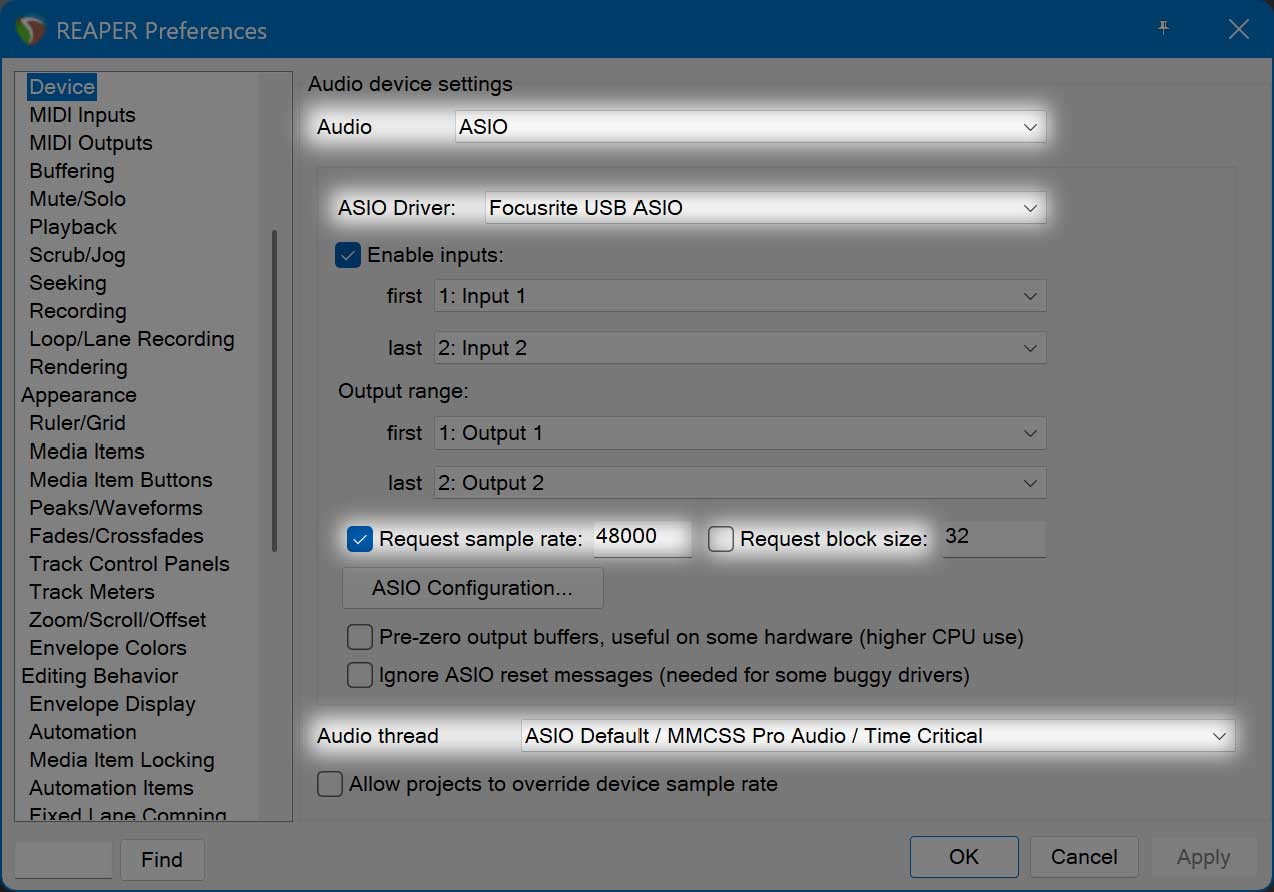
    • In Reaper, create a new project. Click Options > Preferences. In the Audio > Devices page that appears, set Audio to ASIO and ASIO Driver to Focusrite USB ASIO. Checkmark the checkbox for Request sample rate and make sure the rate is 48000. Leave unchecked the checkbox for Request block size. Set the Audio thread to ASIO Default / MMCSS Pro Audio / Time Critical.
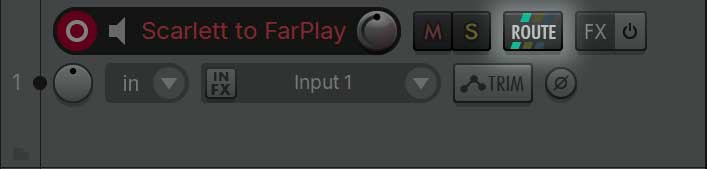
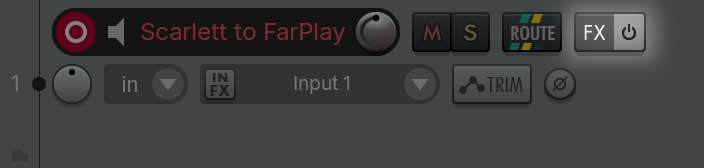
    • Create Track 1 (labeled “Scarlett to FarPlay”, for example). Turn on ⏻ the track. Click Track 1’s Input Selector, choose Input: Mono > Input 1 if your guitar is plugged into your Scarlett’s input 1 (choose Input 2 if your guitar’s plugged into your Scarlett’s input 2).
    • Click Track 1’s Route button.

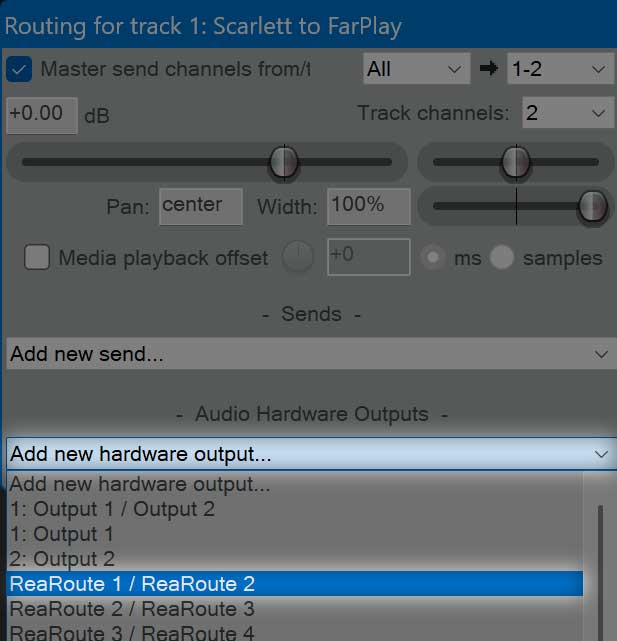
      In the “Routing for track 1” window that appears, click Add new hardware output… and select ReaRoute 1 / ReaRoute 2.
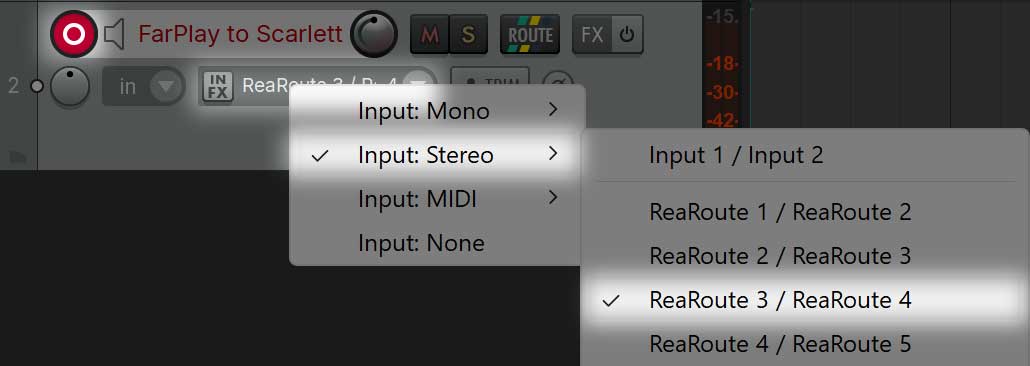
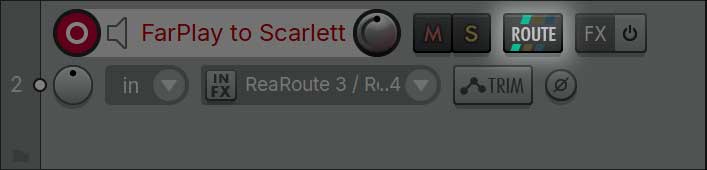
    • Create Track 2 (labeled “FarPlay to Scarlett”, for example). Turn on ⏻ the track. Click Track 2’s Input Selector, choose Input: Stereo > ReaRoute 3 / ReaRoute 4.
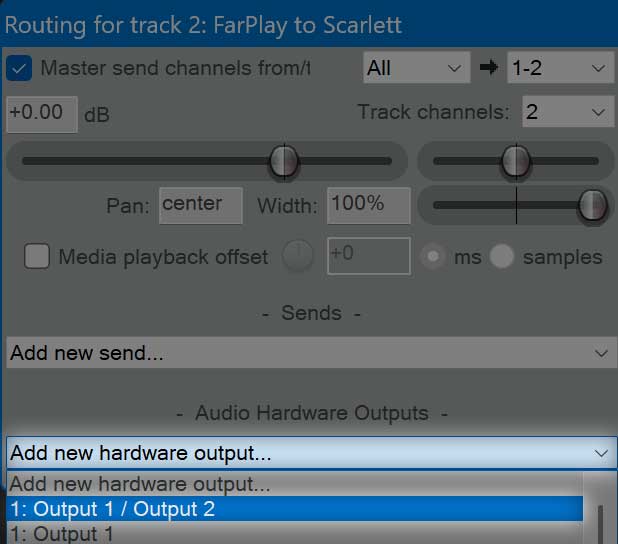
    • Click Track 2’s Route button.

      In the “Routing for track 2” window that appears, click Add new hardware output… and select Output 1 / Output 2.
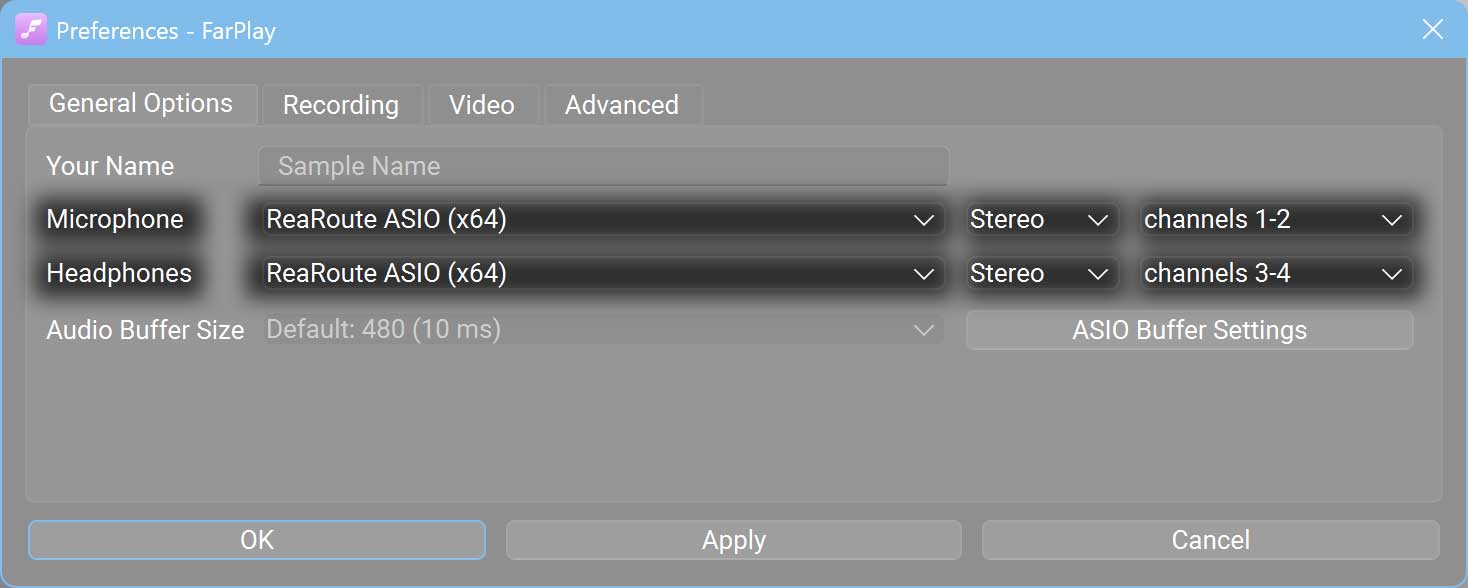
    • Go to FarPlay’s Preferences > General Options. Set the Microphone to ReaRoute ASIO (x64), Stereo, and channels 1-2. Set the Headphones to ReaRoute ASIO (x64), Stereo, and channels 3-4. Press OK.
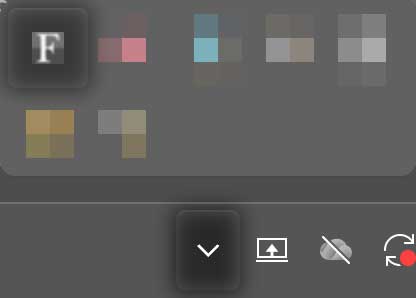
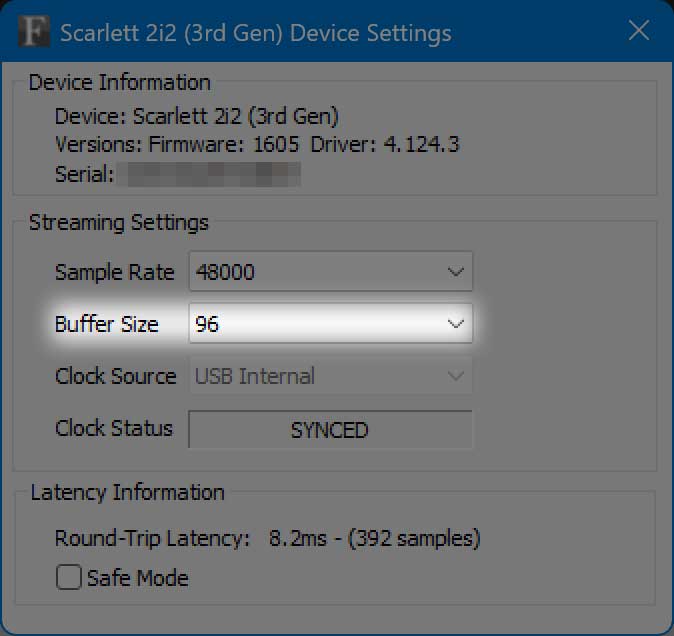
    • If the Local Latency in FarPlay is fluctuating wildly, click the Focusrite icon in the Windows notification area (near the date and time).

      Set the Buffer Size to 48 or 96. If you can’t get reliable audio quality with either of these buffer sizes, try 192 as a last resort (such a large buffer size adds substantial latency).

      ⚠️ Note: When you choose Focusrite USB ASIO as the microphone and headphones in FarPlay itself, ASIO Buffer Sizes of 16, 32, and 64 are good to try, but when FarPlay’s mic and headphones are set to ReaRoute and Reaper is the app that actually has Focusrite USB ASIO selected for input/output, then, on my PC at least, the Scarlett’s ASIO Buffer Size needs to be a multiple of 48 for low, stable local latency in FarPlay (I don’t know why).
    • Play your guitar and verify that the level meter for Track 1 in Reaper and the level meter for You (…) in FarPlay both move in response. If this is the case, press Track 1’s FX button in Reaper and add the Amplitube plugin to Track 1.

    Thank you,
    David Liao

    • This reply was modified 3 hours, 49 minutes ago by David Liao.
    • This reply was modified 3 hours, 45 minutes ago by David Liao.
    • This reply was modified 3 hours, 40 minutes ago by David Liao.
    • This reply was modified 3 hours, 37 minutes ago by David Liao.
Viewing 1 replies (of 1 total)
  • You must be logged in to reply to this topic.