Reply To: Mixer setting inaccessible

Dear Kenneth,
In the Devices subpanel, click the Microphone pull-down menu and choose Input Mixer. When the Input Mixer is selected as the microphone, the Show Mixer item in the View menu becomes clickable.
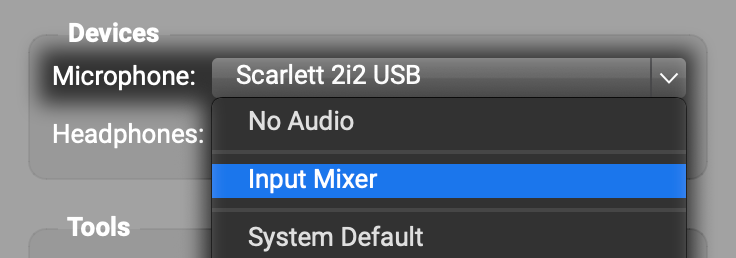
Our mixer page has more information.
Thank you,
David Liao
-
This reply was modified 6 months, 4 weeks ago by
 David Liao.
-
This reply was modified 6 months, 4 weeks ago by
David Liao.
