Reply To: External monitor stops sound from second musician

Dear Robert,
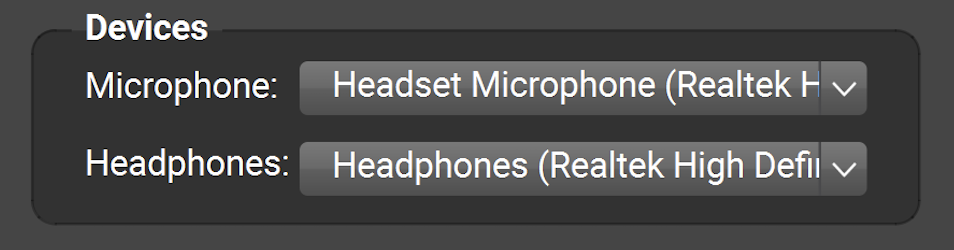
Thanks for your message. When sound isn’t coming out of your headphones, please look in FarPlay’s Devices subpanel and use the Headphones pull-down menu to pick the headphones you want to use.
If you’d like audio from other apps to play through your headphones too, right-click the speaker next to the battery (bottom-right corner of desktop), click Sound Settings, and then choose the headphones you want to use in the Output section.
When an HDTV is connected (typically via HDMI), a PC might try to play sound through the external HDTV, rather than through the PC’s headphones.
Thank you,
David Liao
-
This reply was modified 11 months, 1 week ago by
 David Liao.
-
This reply was modified 11 months, 1 week ago by
David Liao.
-
This reply was modified 11 months, 1 week ago by
David Liao.
-
This reply was modified 11 months, 1 week ago by
David Liao.
-
This reply was modified 11 months, 1 week ago by
David Liao.
-
This reply was modified 11 months, 1 week ago by
David Liao.
