Reply To: Being heard by my partner

Hi Sarah,
Thanks for your post. Please open a FarPlay session (could be just by yourself). Look in the You (…) subpanel. If your mute button is blue  , click the mute button to unmute yourself (the mute button will turn black
  ).
).
If this doesn’t fix the problem, check whether the level meter in the You (…) subpanel flickers when you speak.

If the level meter doesn’t flicker, try pressing mute buttons on your mic, headset, and computer keyboard (example below).
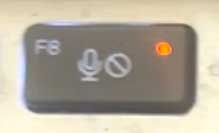
If there wasn’t a problem on your end (you didn’t need to click any mute button in FarPlay or on your mic, etc.), ask Gaye to go into a FarPlay session (just by herself) and drag the Monitor slider in the Remote Sound subpanel to the right. When this slider is too far to the left, Gaye won’t hear you.
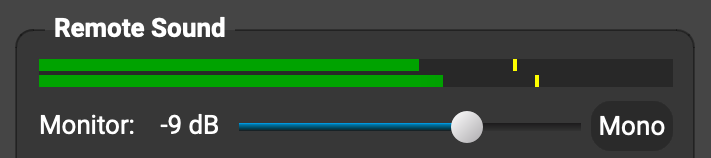
Also have Gaye press volume-up buttons/keys on her headset and computer keyboard.
Interested to know whether these tips help. If you’d like to browse additional suggestions, please check out our Troubleshooting Guide — browse the tips under Someone is too quiet or too loud.
Thank you,
David Liao
-
This reply was modified 4 months, 3 weeks ago by
 David Liao.
-
This reply was modified 4 months, 3 weeks ago by
David Liao.
