Dear eVee,
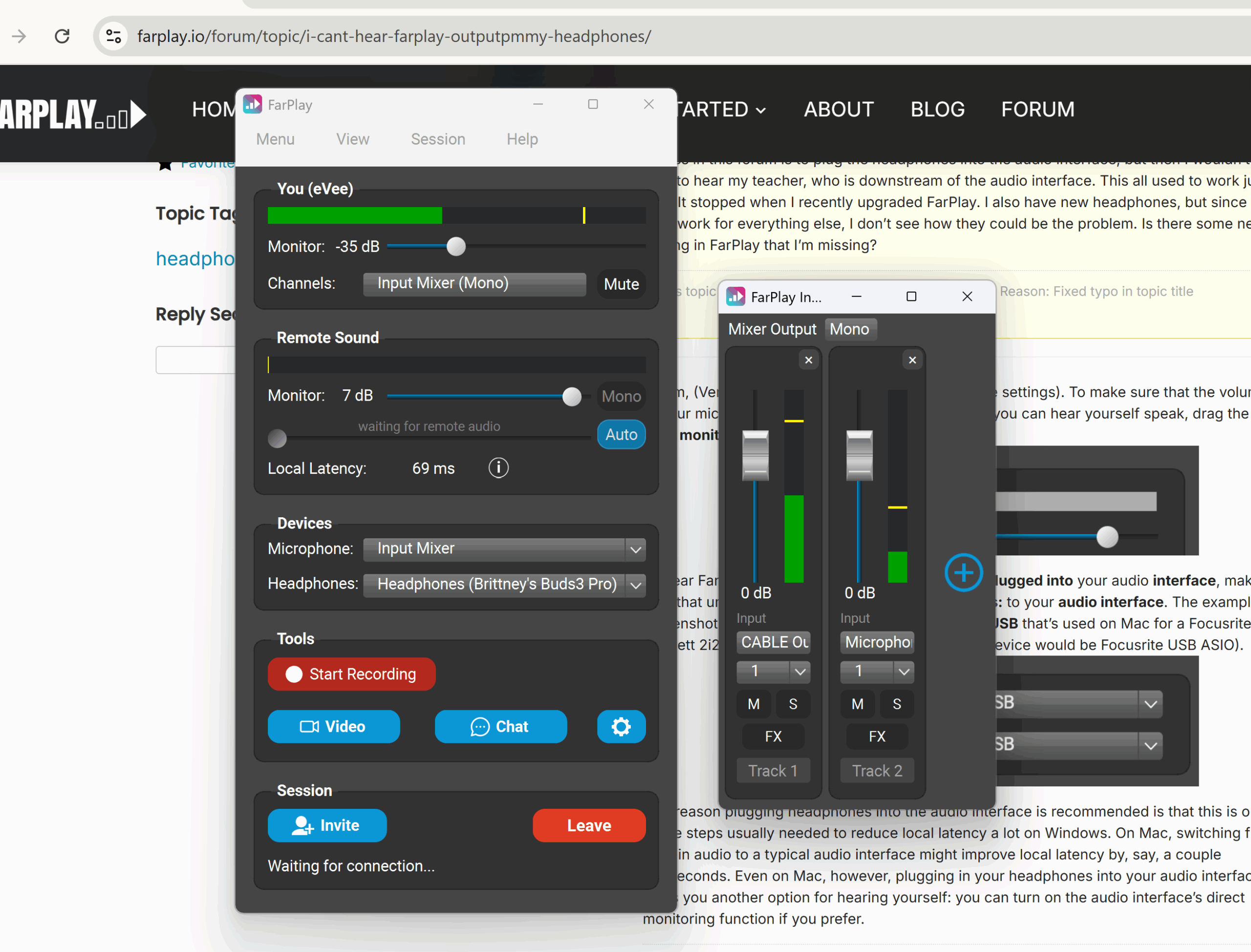
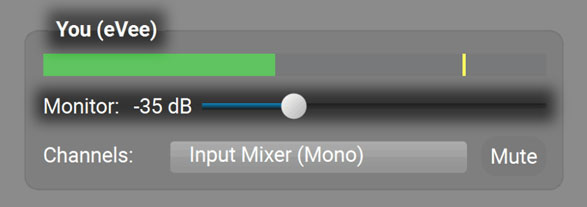
Thanks for your question and screenshot. In the You (eVee) subpanel, drag the Monitor slider toward the right to 0 dB. The volume of -35 dB in your screenshot is very low, which makes it hard to hear the Input Mixer’s mix in your earbuds.

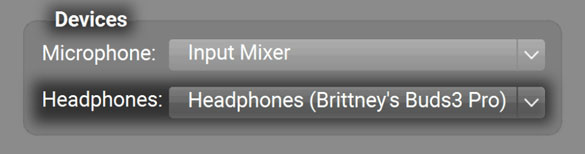
If you’re using wireless Bluetooth earbuds, please switch to a wired headset like the wired Apple EarPods. In the Devices subpanel, the Headphones selection of “Brittney’s Buds3 Pro” looks similar to “Samsung Galaxy Buds 3 Pro” (Bluetooth earbuds); sorry if I misidentified your earbuds. Bluetooth devices typically add a lot of latency and sometimes work poorly or not at all in FarPlay.
We recommend setting up using the Step Zero and Step One sections of our QuickStart guide before using the Input Mixer instructions to add more audio input sources.
Thank you,
David Liao
-
This reply was modified 3 months, 3 weeks ago by
 David Liao.
-
This reply was modified 3 months, 3 weeks ago by
David Liao.
-
This reply was modified 3 months, 3 weeks ago by
David Liao.
-
This reply was modified 3 months, 3 weeks ago by
David Liao.
-
This reply was modified 3 months, 3 weeks ago by
David Liao.