Dear John,
Thank you for your question. Could you check whether you experience the same audio dropouts when you do the following?
- If “all audio drops out” refers to a complete audio mix being sent from Pro Tools to FarPlay, disable all demo/trial-mode plugins in Pro Tools.
- Use a sample rate of 48.0 kHz in Pro Tools.
- Increase the buffer size in Pro Tools (Setup > Playback Engine > Settings > H/W Buffer Size), in FarPlay (Preferences > General Options > Audio Buffer Size), or in both Pro Tools and FarPlay.
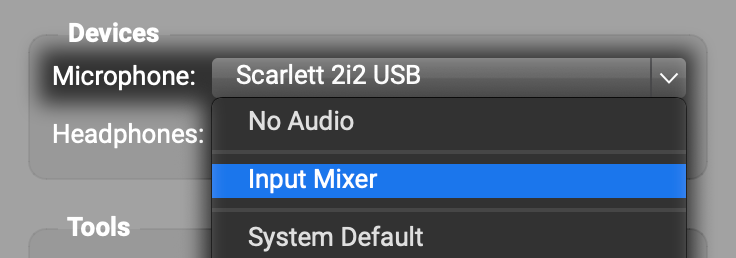
- If the above suggestions don’t fix the problem (or the second suggestion requires too high of a buffer size and too much latency), try quitting Pro Tools, setting FarPlay’s Headphones to your Aurora 16, setting FarPlay’s Microphone to the Input Mixer, and following the instructions on our mixer page to create as many input tracks as you like for input channels on your Aurora 16.

Thank you,
David Liao
-
This reply was modified 10 months, 1 week ago by
 David Liao.
-
This reply was modified 10 months, 1 week ago by
David Liao.
-
This reply was modified 10 months, 1 week ago by
David Liao.
-
This reply was modified 10 months, 1 week ago by
David Liao.