Reply To: other musician can’t ear me with octacapture roland

Dear Chris,
Thanks for your message. In the Devices subpanel, please set the Microphone to Input Mixer.
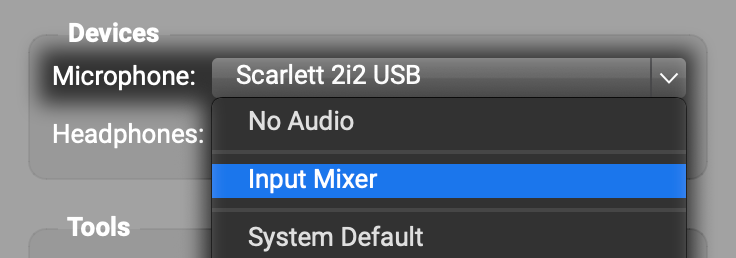
In the Input Mixer, click the circled plus to create a bunch of tracks, one for each input channel on your Octa Capture.

Set the audio device for each track to your Octa Capture. Set each track to a different input channel on your Octa Capture. The screenshot below shows what it looked like in a similar situation where I was setting up Input Mixer tracks for each of the input channels on my Scarlett 8i6.
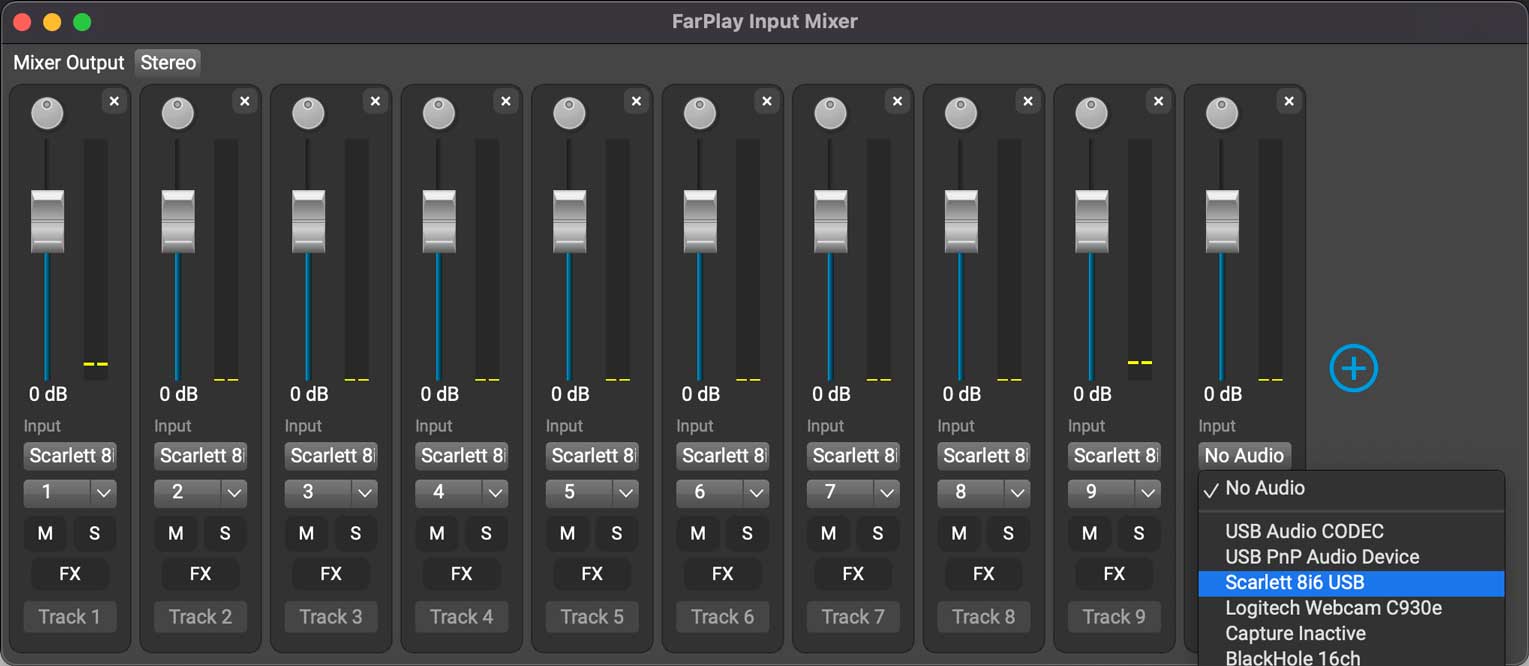
Try speaking/playing and see whether any of the green level meters in the Input Mixer flicker. You can do this test in a session by yourself (even without connecting to your friend).
The steps above fix the following possible problem: If you had a microphone plugged into, say, input channel 3 on your Octa Capture, but FarPlay was using your Octa Capture’s channels 1 and 2 for input, FarPlay wouldn’t have received the microphone input.
To learn more about FarPlay’s Input Mixer, see our Input Mixer instructions.
Thank you,
David Liao
-
This reply was modified 7 months, 3 weeks ago by
 David Liao.
-
This reply was modified 7 months, 3 weeks ago by
David Liao.
-
This reply was modified 7 months, 3 weeks ago by
David Liao.
-
This reply was modified 7 months, 3 weeks ago by
David Liao.
