Dear Enrique,
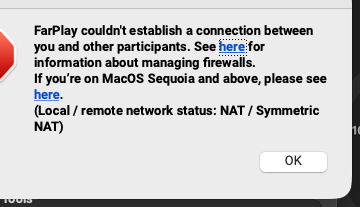
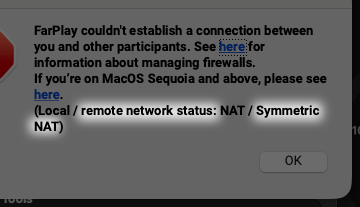
Thank you for your screenshot. The status line at the bottom of the error message (“Local / remote network status: NAT / Symmetric NAT“) confirms that the connection is being blocked at the musicians’ end in India.

A Public IP from the internet provider typically eliminates the “Symmetric NAT” status, with some exceptions. To make sure the Public IP each musician requested from their internet provider is working, please ask each musician in India to:
- Confirm with their internet provider that the Public IP is already switched on for the internet connection they’d like to use to rehearse.
- Restart their router after the Public IP is switched on.
- Make sure their computer connects through only one router, not through a second router plugged into the internet provider’s router or modem.
- Try connecting in FarPlay again.
If a musician’s internet provider can’t give them a Public IP, ask the musician to ask the provider to turn on IPv6 instead. IPv6 helps only if it’s turned on at each end, so, in that case, please ask your own internet provider in Spain to turn on IPv6 too.
If you only need to connect to one musician in India at a time (duet, instead of group rehearsal), port forward on your end.
If FarPlay still can’t connect after these steps, please send a new screenshot of the “FarPlay couldn’t establish a connection” message, and share what each internet provider said.
Thank you,
David Liao
-
This reply was modified 1 day, 15 hours ago by
 David Liao.
-
This reply was modified 1 day, 14 hours ago by
David Liao.
Hi, David, thank you for your response, my bandmate in Indis tells me he’s already on ipv6
Dear Enrique,
Thanks for sharing this helpful information. In that case, please contact your internet provider in Spain and say, “Would you please help me make sure IPv6 is working for my router and computer when I use my internet connection with you?” Could you let us know what your internet provider says?
My internet provider here in America does offer IPv6 connectivity, but they gave me a router in which IPv6 was turned off 🤭, which made me have to go into my router’s settings page to turn IPv6 on myself 😄! Hopefully the same problem didn’t affect your bandmate in India too — if you’d like, ask him to check.
Thank you,
David Liao
-
This reply was modified 1 day, 3 hours ago by
David Liao.
-
This reply was modified 1 day, 3 hours ago by
David Liao.
-
This reply was modified 1 day, 3 hours ago by
David Liao.
-
This reply was modified 1 day, 3 hours ago by
David Liao.
-
This reply was modified 1 day, 3 hours ago by
David Liao.
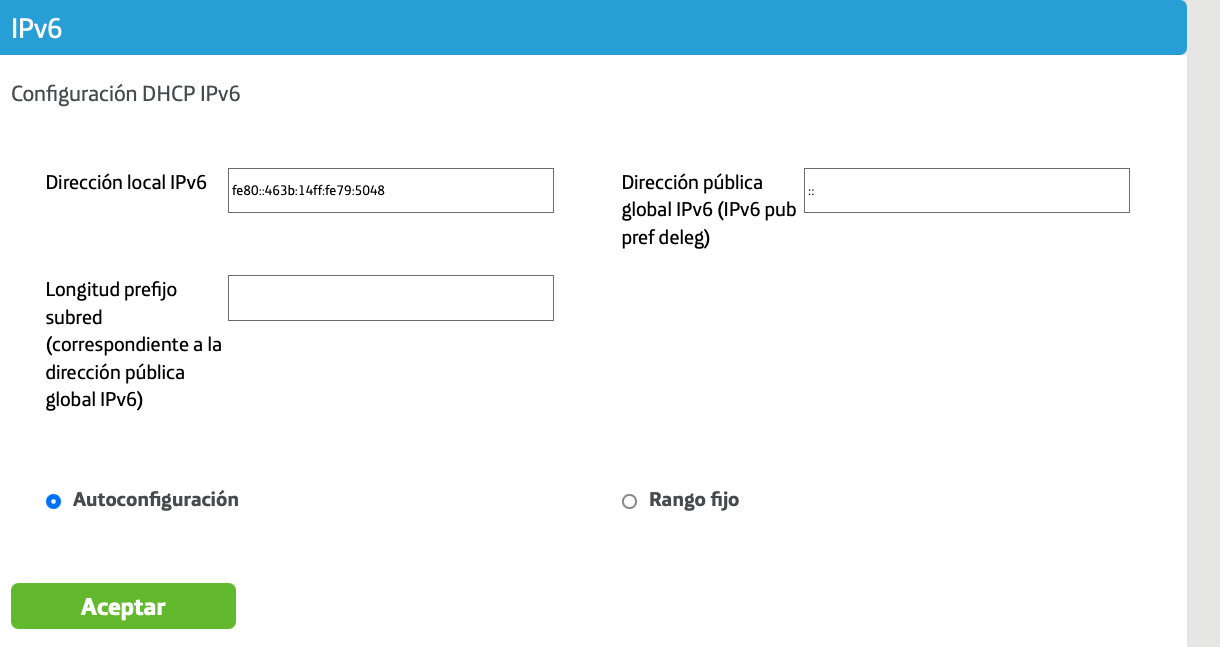
I HAVE THIS ON MY ROUTER, IS THIS HELPFUL? SHOULD I CHANGE SOMETHING HERE?
Dear Enrique,
Many thanks for your screenshot. From that router-settings page alone, I can’t tell whether your internet provider has turned IPv6 on for your connection, but your internet provider can tell you directly. Please don’t change anything on that router page, and keep Autoconfiguración selected.
Please contact your internet provider and ask the question from my last message: “Would you please help me make sure IPv6 is working for my router and computer when I use my internet connection with you?” Please let us know what they say.
Thank you,
David Liao