Reply To: Very high latency and pixelated screen

Dear Laura,
Thanks so much for this screenshot. To reduce the delay you hear of your own voice in your headphones and to lower the latency, please do the following.
- Please download and install your Scarlett Solo’s official drivers from Focusrite.
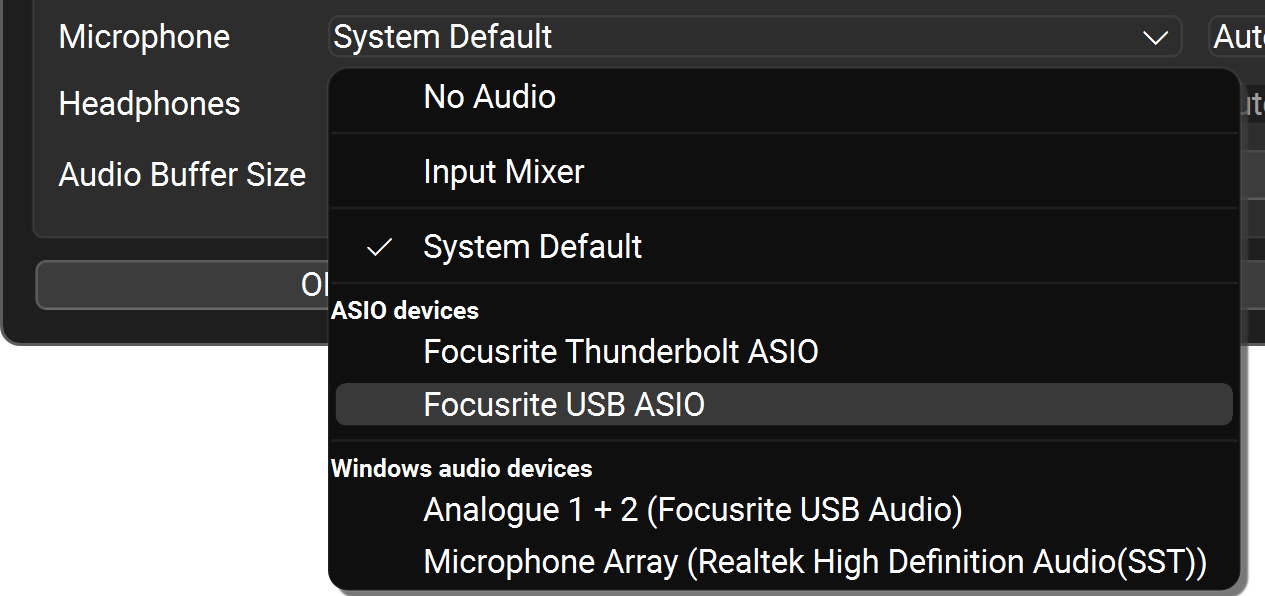
- Then, in FarPlay’s Preferences > General Options, set the Microphone to Focusrite USB ASIO.

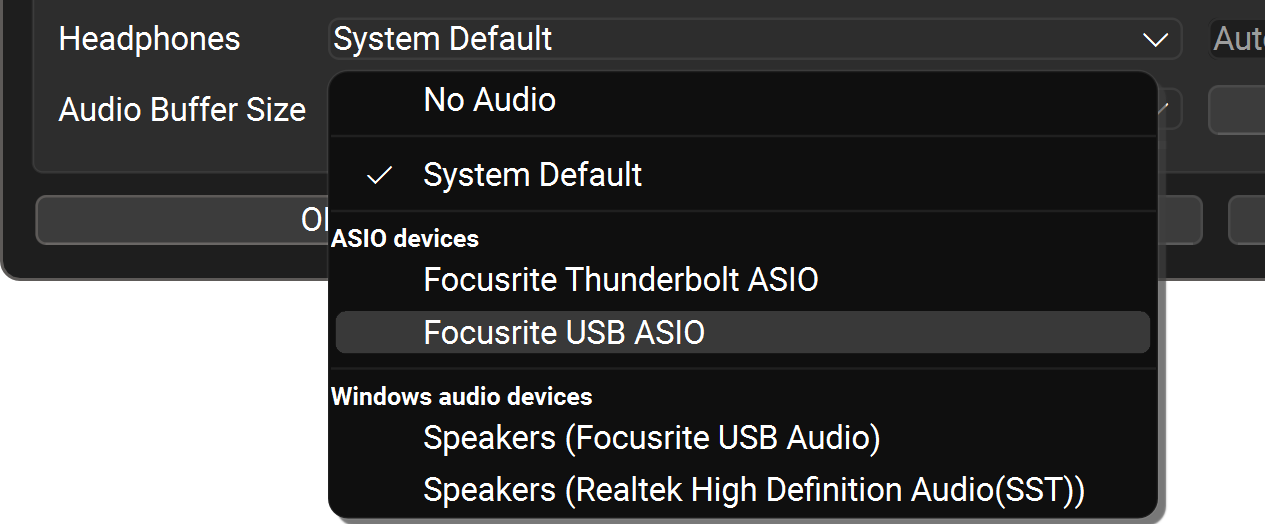
- Likewise, set the Headphones to Focusrite USB ASIO.
-
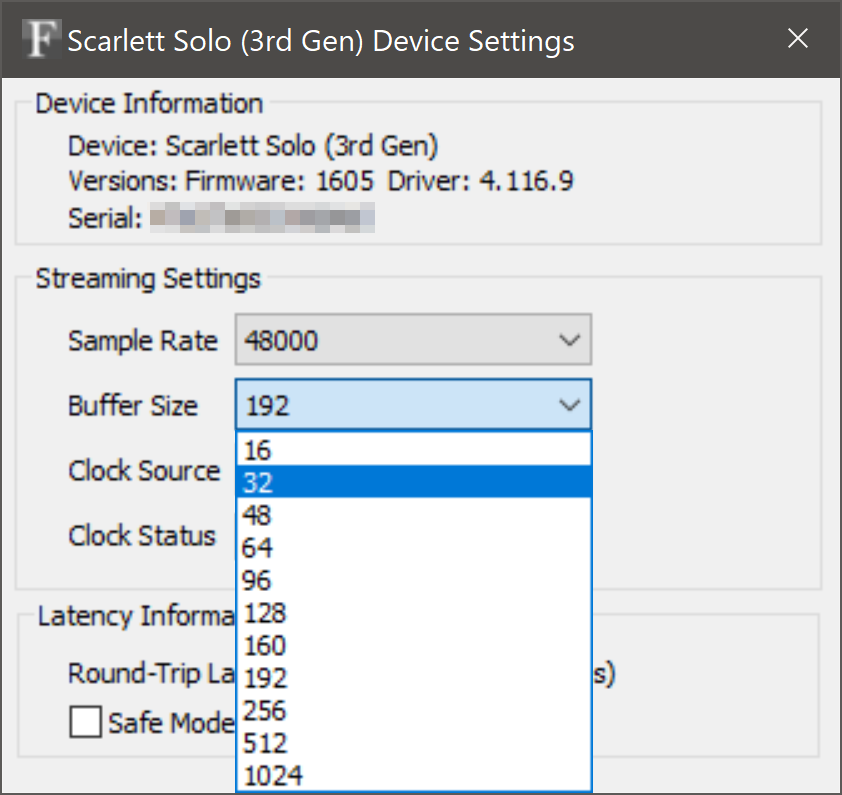
Then press the ASIO Buffer Settings button, which will now launch your Scarlett’s control panel (below). Make sure the sample rate is 48000 Hz, and change the buffer size to 32 samples.
- Go ahead and close the Scarlett’s control panel and press OK in FarPlay’s Preferences. You’ll now get lower latency and hear your own voice in your headphones with virtually unnoticeable delay.
Thank you,
David Liao
-
This reply was modified 1 month, 1 week ago by
 David Liao.
-
This reply was modified 1 month, 1 week ago by
David Liao.
-
This reply was modified 1 month, 1 week ago by
David Liao.
-
This reply was modified 1 month, 1 week ago by
David Liao.
-
This reply was modified 1 month, 1 week ago by
David Liao.
