Hi Laura,
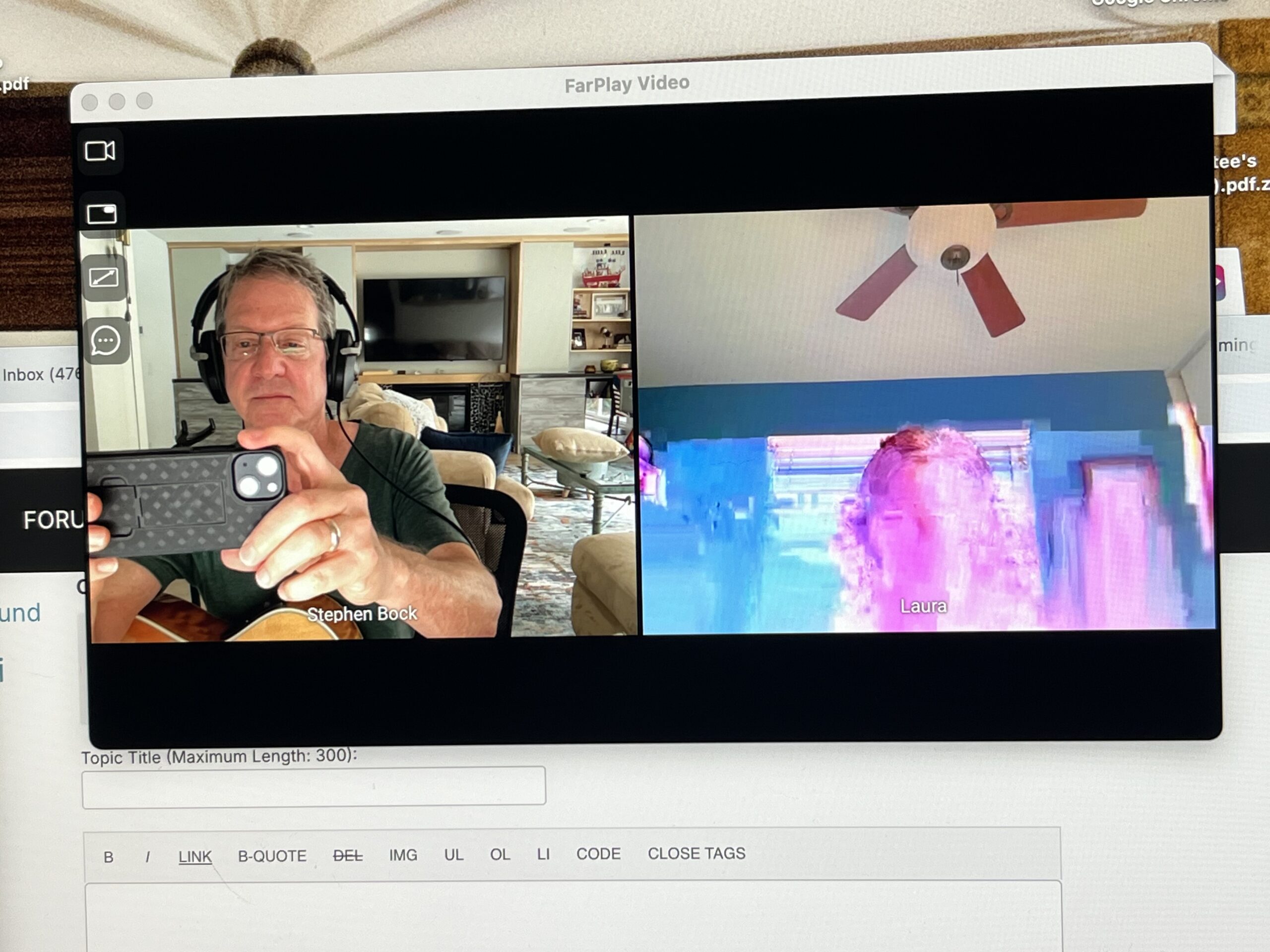
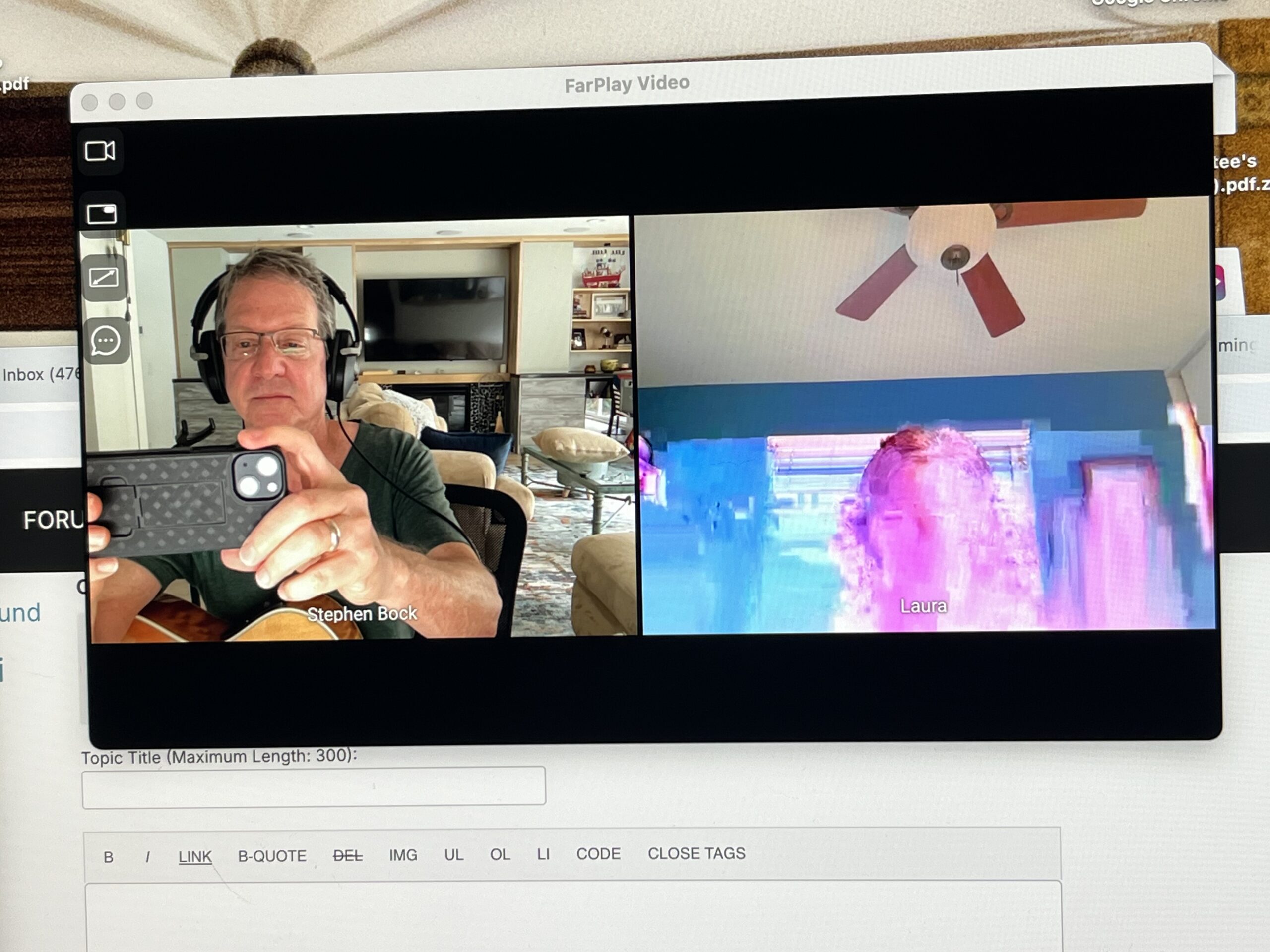
Thanks for your message and photos.
Please make sure each musician turns VPN off on their computer, if used. High latency and severe video artifacts are common with VPN.
Go to FarPlay’s Preferences > Video and decrease “Your max outgoing bandwidth” to 150 kbps and decrease “Your max resolution (width in pixels)” to 320. Press OK. Check whether a remote musician can now see your video more clearly.
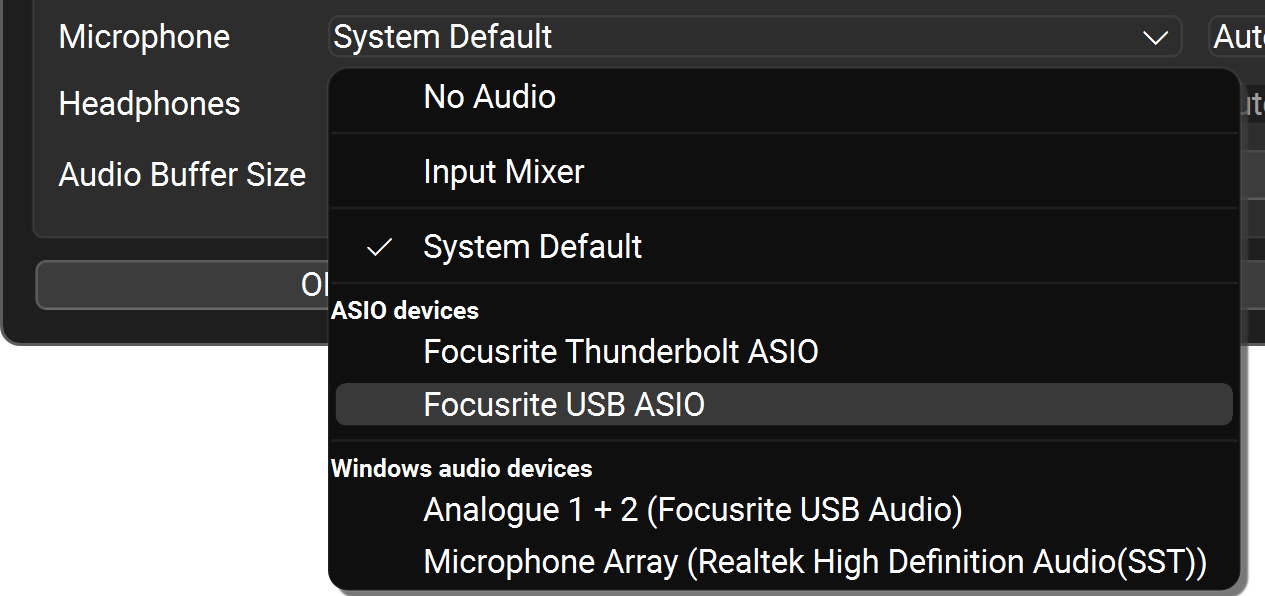
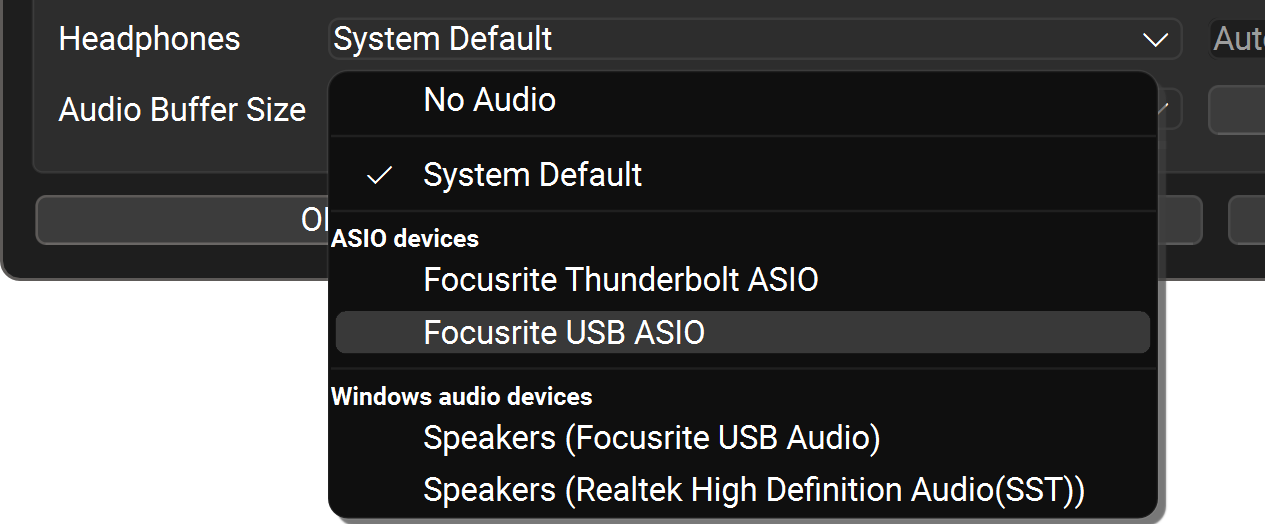
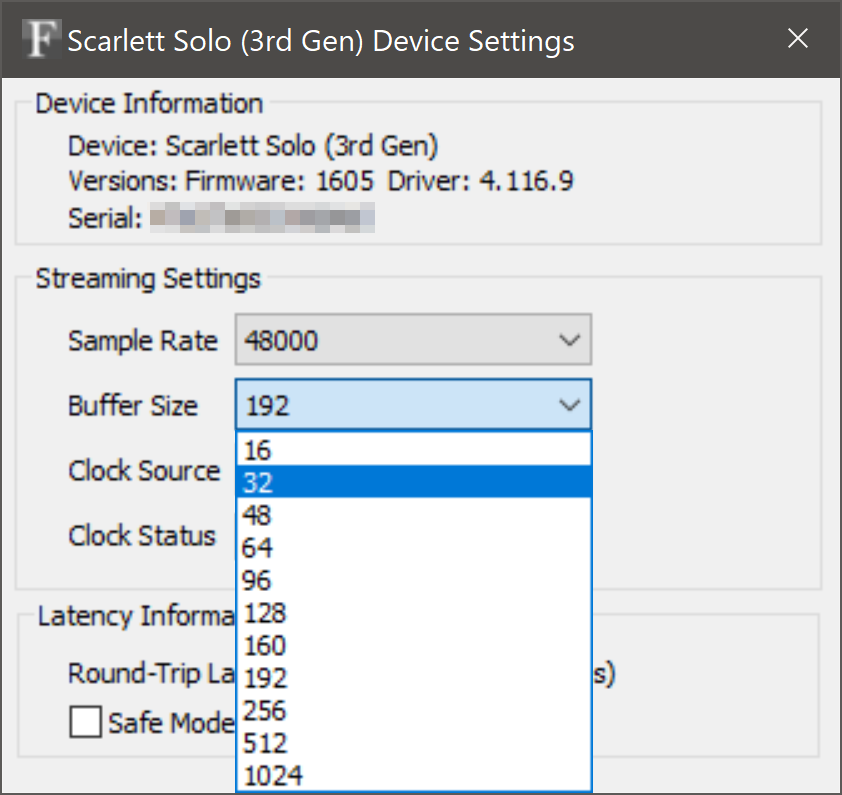
To minimize the latency with which you hear your own voice in your headphones (and latency between you and other musicians), use the version of our QuickStart guide customized for Windows PCs with external audio interfaces. This version walks you through selecting your Scarlett’s ASIO drivers for the microphone and headphones in FarPlay and setting your Scarlett’s ASIO buffer size to a small, low-latency size (like 32 samples).
Can you test with a cable internet connection? Sometimes 5G connections (examples: T-Mobile 5G and Verizon 5G) handle low-latency audio/video poorly, so our requirements page recommends fiber (best) or cable (OK) internet connections. From experience connecting with users on 5G, I expect even a slow cable connection (with only, say, 20 Mbit/s of upload speed) to typically provide far better connectivity than a 5G connection (even when the 5G connection gets higher upload speeds of 50+ Mbit/s).
Could you share how far apart you and the remote musician are (for example, are you in the same/neighboring states)? Latency increases with distance, and two musicians in San Francisco and New York can get slightly below 40 ms of latency when both ends use fiber connections (latency is higher if one or both ends isn’t using fiber).
Thank you,
David Liao
-
This reply was modified 1 month, 1 week ago by
 David Liao.
-
This reply was modified 1 month, 1 week ago by
David Liao.
-
This reply was modified 1 month, 1 week ago by
David Liao.
-
This reply was modified 1 month, 1 week ago by
David Liao.
-
This reply was modified 1 month, 1 week ago by
David Liao.
Hi David,
Thank you for all of your advice and guidance. I’ve tried making the suggested adjustments in preferences, but unfortunately, the latency is still very high, and unstable.
I’ll look into installing cable, which hopefully, will be the solution. You had mentioned that an upload speed of 20 Mbps would work. To clarify, is that the minimum that I could go, if I were to switch to cable? I want to definitely ensure that I have enough speed when I sign up with a new provider.
All of the musicians whom I’m working with live in CA, as do I. Most are in Los Angeles and 2 of us are in Orange County.
Thank you again,
Laura
-
This reply was modified 1 month, 1 week ago by
Laura Wolfe.
Dear Laura,
Thanks for your update. You can go as low as ~10 Mbps of upload speed if you only connect with musicians 1:1 (rather than in small groups). With only 10 Mbps of upload speed though, make sure all other internet-intensive apps/devices in the home are paused during FarPlay sessions. 20 Mbps (35+ Mbps would be even better, if available) of upload speed lets you more comfortably join group sessions (you’ll still need to pause unnecessary intensive internet use: for example, pause DropBox file-syncing on all computers in the home while using FarPlay).
Connections within a metro area (like Southern California) should get you ballpark latencies around 20 ms on cable, much better than 47 ms :).
Thank you,
David Liao
-
This reply was modified 1 month, 1 week ago by
David Liao.
Hi David,
Thank you for the information above, regarding upload speed.
Yesterday, I had cable Internet installed. The speeds are good, including Ping. When using FarPlay, I made sure that my settings are correct, using Scarlett audio interface. And I just had a 1:1 test session with another musician who lives within 100 miles. Unfortunately, my latency was still high, around 37, and there was always a slight delay in my headphones. My Wi-Fi was off, the other person was wearing headphones, and I had a new Ethernet cable plugged into my new router. Also, I only hear delay in my headphones when I speak; I can hear everyone else is real time.
Could this issue be my microphone or my headphones? I’m using brand new cables with each, and my mic works consistently well during live shows.
Thank you for any additional thoughts on this issue.
Sincerely,
Laura
Dear Laura,
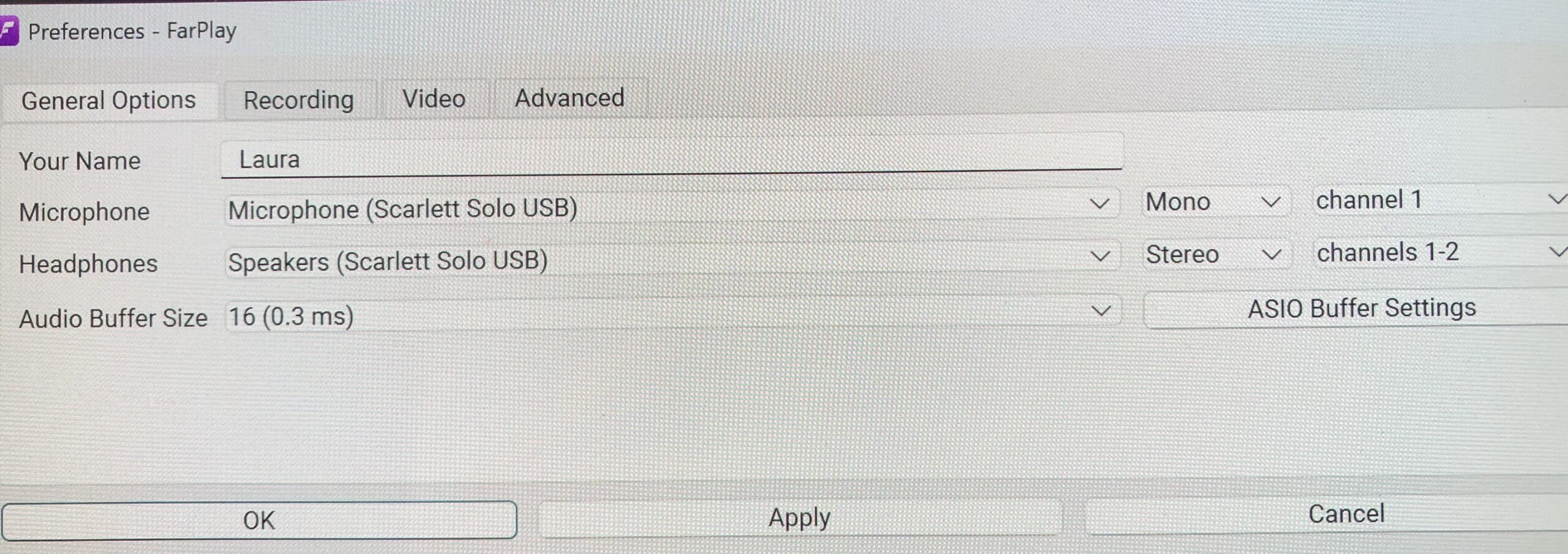
Thank you for your update. Can you please share a screenshot of FarPlay’s Preferences > General Options page? And, in that page, can you press the ASIO Buffer Settings button and share a screenshot of the Scarlett’s control panel that then appears?
Thank you,
David Liao
-
This reply was modified 1 month ago by
David Liao.
-
This reply was modified 1 month ago by
David Liao.
Hi David,
When I click on the ASIO Buffer Settings button, nothing happens; it won’t allow me to click on it. But below is a screenshot of what I do currently have as my settings.
Thank you,
Laura
Hi David,
Thank you so much for all of your help. You solved the issue and it all works perfectly! I’ve just had a session, and it’s confirmed.
I really appreciate your fast responses and how detailed you were in explaining the steps of what to do.
Wishing you all the best!
Sincerely,
Laura
Dear Laura,
Thanks for sharing this great news. Music to our ears! 🥰
Enjoy,
David Liao