Hi Bill,
Thanks for your question.
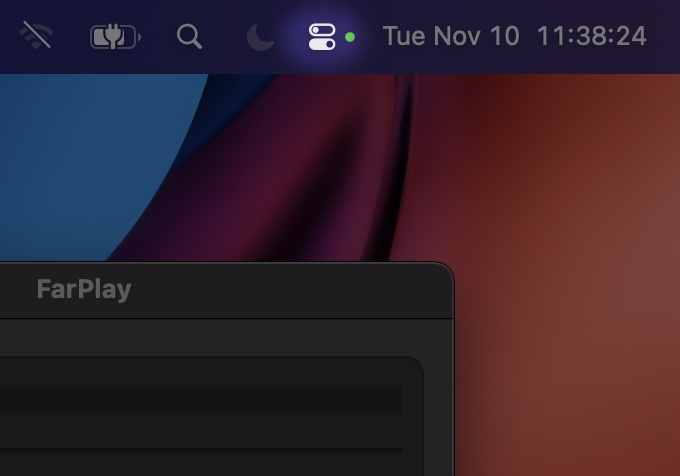
If you’re on a Mac, find the Control Center by looking at the date and time near the top-right corner of your computer screen, outside of FarPlay’s main window. If the date and time are hidden, move your mouse/cursor to the very top of the computer screen to unhide the date and time. Look just to the left of the date and time for the Control Center icon.

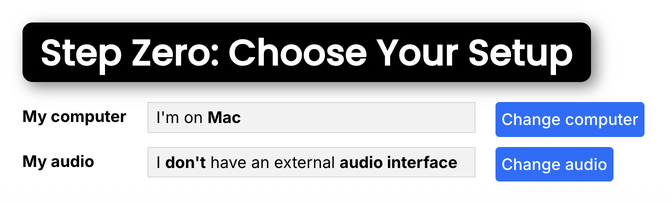
If you’re on a Windows PC, there’s no Control Center (the Control Center is just on Macs). In this case, on the QuickStart page, scroll to Step Zero: Choose Your Setup and click Change computer so that My computer reads I’m on Windows. If you use an external audio interface, also click Change audio so that My audio reads I have an external audio interface. Now the instructions will be customized for Windows, and, so, won’t ask you to click the Control Center.
If these instructions don’t solve the problem, could you share a screenshot of your full computer screen? If you have private information in the screenshot, please email the screenshot to support@farplay.io, instead of posting the screenshot in this public forum.
Thank you,
David Liao