Hi Mark,
Thanks for your post. When you can’t hear the other person even though you see their level meter move, please try the following.
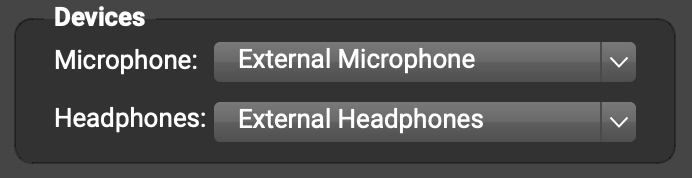
- In FarPlay’s Devices subpanel, make sure the Headphones pull-down menu is set to the wired headphones you’ve snuggly plugged in (or the audio device your headphones are plugged into). The example below shows the correct selection for someone using wired headphones plugged into their Mac’s 3.5-mm audio jack.

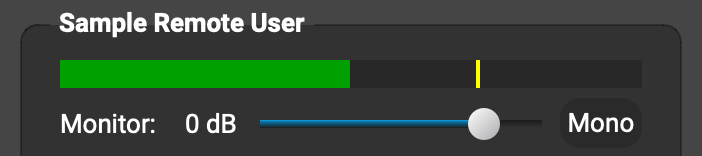
- In the FarPlay window, find the subpanel with the other person’s name, and drag the monitor slider in it to the right.
- Raise your computer’s audio level outside of FarPlay, using the volume-increase key on your keyboard, your headphone’s volume knob (if available), or, if you use an audio interface, the headphones-volume knob on the interface.
If you still can’t hear the other person, drag the Monitor slider under your own volume meter to the right, and tell us whether you hear your own voice in your headphones as you talk. Please also send us a screenshot of the main FarPlay window.
Thank you,
David Liao
-
This reply was modified 2 weeks, 6 days ago by
 David Liao.
-
This reply was modified 2 weeks, 6 days ago by
David Liao.
-
This reply was modified 2 weeks, 6 days ago by
David Liao.