Leave S mode if Windows blocks you from installing FarPlay
-
Dear Windows users,
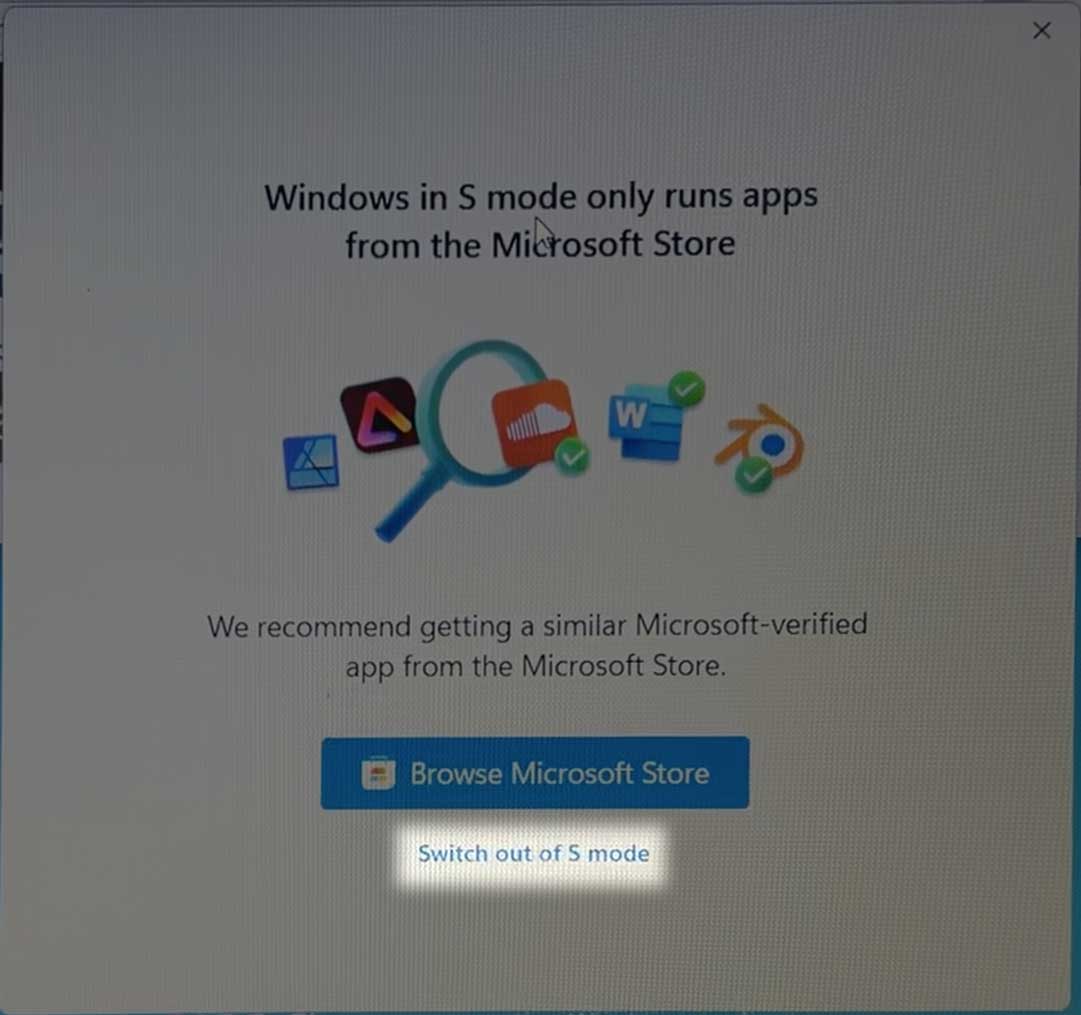
If Windows stops you from installing FarPlay by saying “Windows in S mode only runs apps from the Microsoft Store”, click Switch out of S mode.

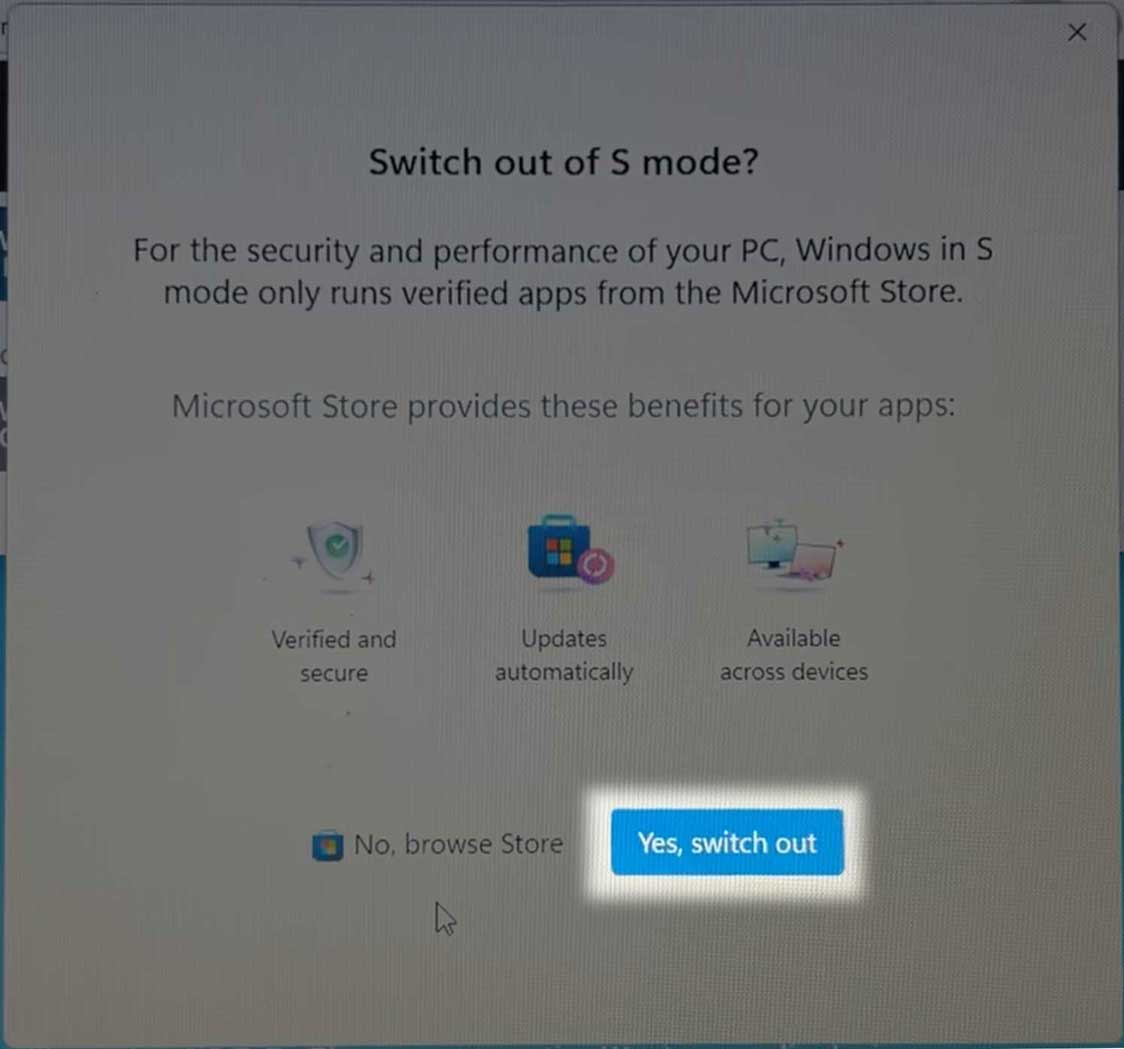
On the “Switch out of S mode?” screen that appears, click Yes, switch out.
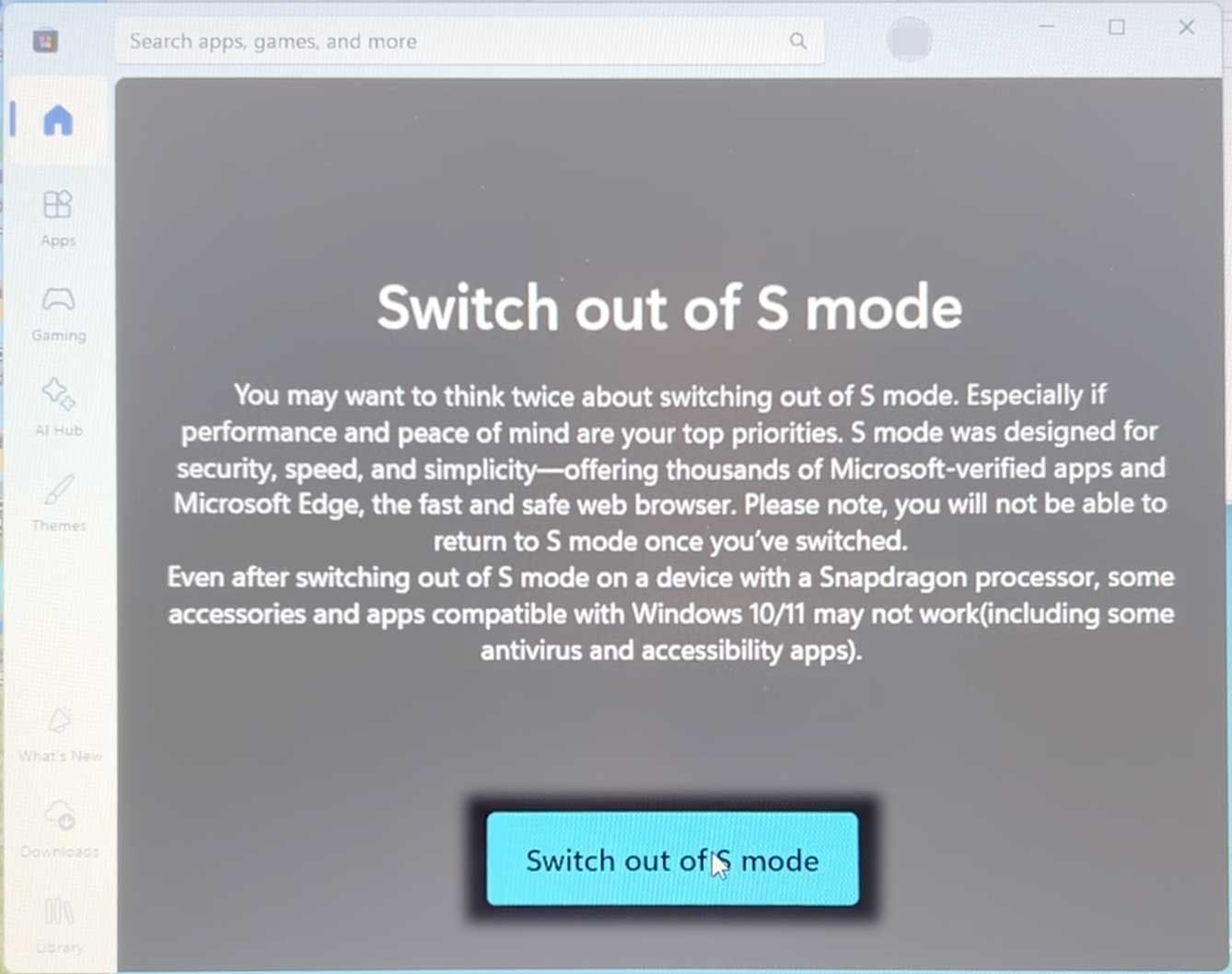
On the “Switch out of S mode” screen that appears, click Switch out of S mode.
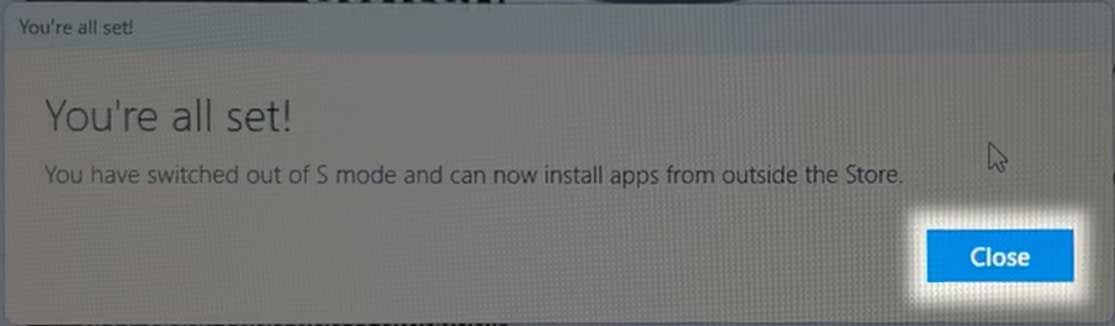
Once Windows says “You’re all set!”, simply click Close.
Now try to run the FarPlay installer again.Thank you,
David Liao

- You must be logged in to reply to this topic.