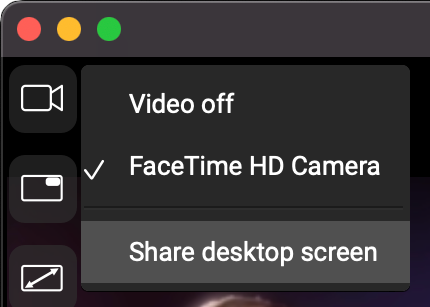
After joining a video chat, you can share your screen by clicking the Camera icon at the top-left corner of FarPlay’s video window and selecting Share desktop screen. See our video instructions for more information (including instructions for giving FarPlay permission to record the screen on a Mac).
You can also start and stop screen sharing during a video chat using the keyboard combinations Shift-Command-S and Shift-Command-X on a Mac or Control+Shift+S and Control+Shift+X on Windows. We list keyboard shortcuts on our accessibility page.
Thank you,
David Liao
This reply was modified 1 year, 6 months ago by David Liao.
This reply was modified 1 year, 6 months ago by David Liao.
This reply was modified 1 year, 6 months ago by David Liao.
This reply was modified 1 year, 6 months ago by David Liao.



 at the top-left corner of FarPlay’s video window and selecting Share desktop screen. See our