volume meter doesn’t repond on one end only

  • Dear Eric,

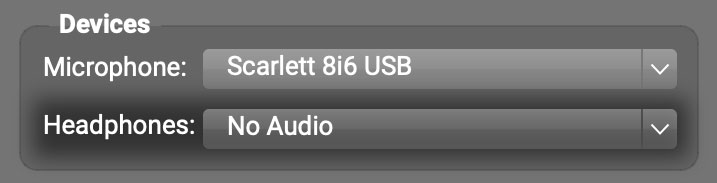
    Thank you for your message. Please look in the Devices subpanel, click the Headphones pull-down (set to No Audio in the screenshot below), and choose the headphones or audio interface you’d like to use.

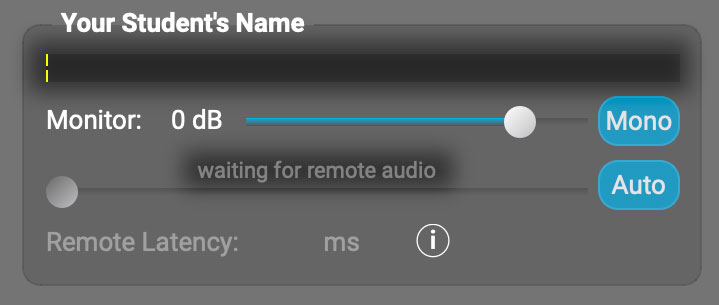
    Maybe the headphones (or audio interface the headphones were plugged into) got unplugged from your computer and caused FarPlay’s Headphones selection to switch to No Audio, which disables playback for you, and, in your student’s subpanel on your screen, shows a level meter that stays black (no movement) and displays “waiting for remote audio”. Changing your Headphones selection back to your desired device fixes this problem.

    Thank you,
    David Liao

    • This reply was modified 3 hours, 6 minutes ago by David Liao.
    • This reply was modified 3 hours, 4 minutes ago by David Liao.
    • This reply was modified 3 hours, 3 minutes ago by David Liao.
Viewing 1 replies (of 1 total)
  • You must be logged in to reply to this topic.