Reply To: iReal pro

Hi Udo,
Thank you for your questions. To bring audio from another app (like iRealPro) on your Mac into FarPlay for the other session participants to hear, use FarPlay’s Input Mixer with BlackHole, as shown in this short video.
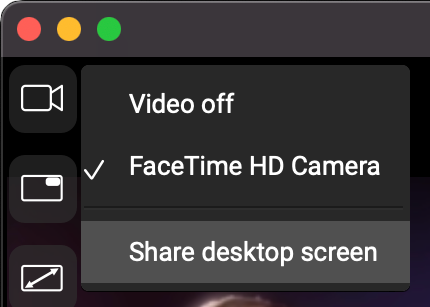
To share your desktop screen, click the video window’s Choose your camera button  and choose Share desktop screen.
For more information on video and screen sharing, check out our video page.
Thank you,
David Liao
-
This reply was modified 1 month, 3 weeks ago by
 David Liao.
-
This reply was modified 1 month, 3 weeks ago by
David Liao.
-
This reply was modified 1 month, 3 weeks ago by
David Liao.
