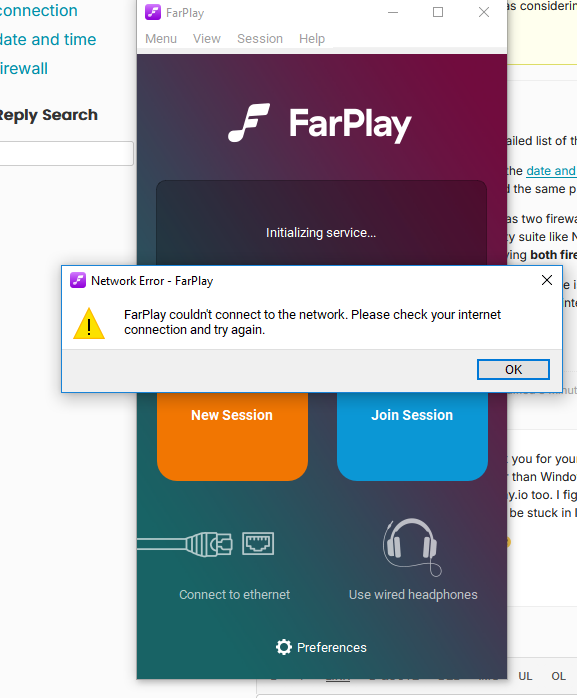
Farplay couldn’t connect to the network

  • Hi,

    Thanks for the detailed list of the things you tried.

    Please make sure the date and time are correct on your Windows PC. Correcting the system date and time fixed the same problem for another user (on a Mac) a while ago.

    Sometimes a PC has two firewalls (one that comes with Windows and a second that’s part of a 3rd-party security suite like Norton or AVG). Please look for a second firewall. If you find one, please try having both firewalls off at the same time.

    When the PC’s Ethernet cable is connected and the PC’s Wi-Fi is off, does your PC otherwise successfully connect to the internet (browse YouTube, farplay.io, etc.)?

    Thank you,
    David Liao


    SheBand
    Participant

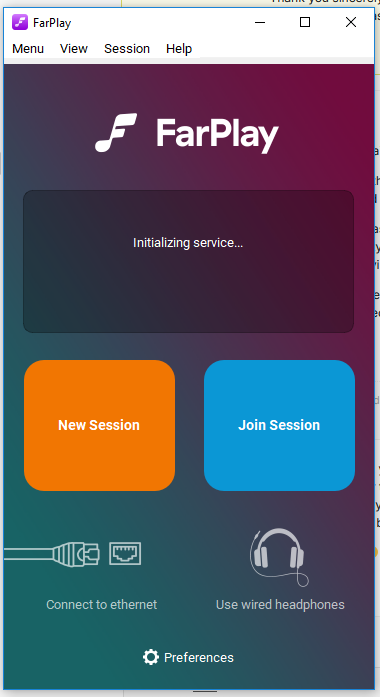
    Hello David! Thank you for your fast reply 🙂 Yes Date and time are correct on the pc. And no other firewall other than Windows Defender Firewall. I’m able to surf to websites such as youtube and farplay.io too. I figured I’d give you a detailed description to save us some time. heheh! It seems to be stuck in Initializing mode if that is any helpful info as well?

    Thank you again 🙂


    SheBand
    Participant

    Here’s the views I see when I press New Session button

    Thanks so much for the helpful screenshots!

    If you extract this zip archive and open the farplay.exe file in the extracted folder, does the same error occur?

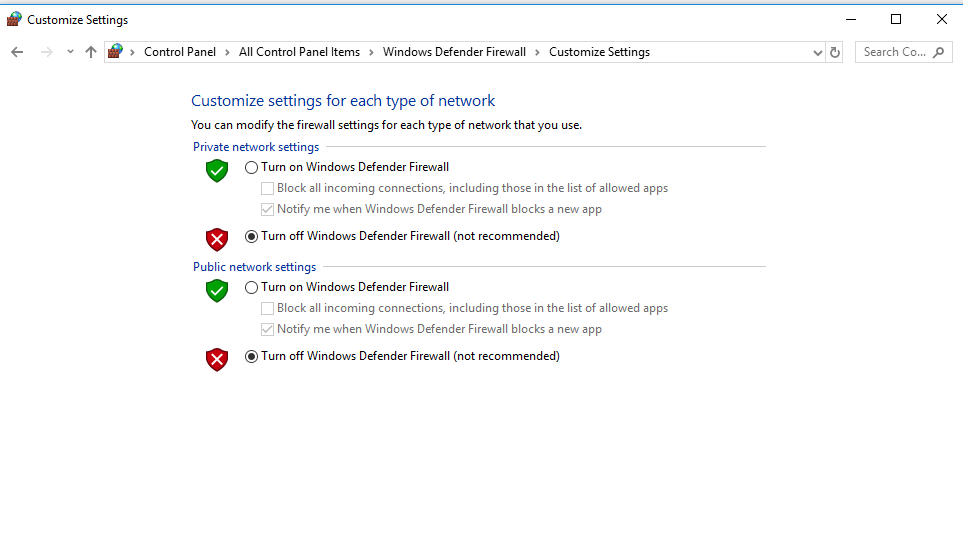
    Could you share a screenshot of your Windows firewall settings?

    Thank you,
    David Liao

    Hello David!

    Thank you for the zip archive. Yes same error occurs when i click on the farplay.exe file inside that extracted folder. I was hoping for it to work tho heeh! Here’s a screenshot of the firewall settings.

    Attachments:

    Trying to remember the events yesterday. I can’t be exactly sure, but i do remember I was using Farplay along with Jack Audio and managed to get Adobe Audition connected to Jack Audio. I then tryed to get mixxx talking to Jack Audio. That didn’t work. And so i moved on to something else and at some point later I noticed the wifi connection was completely gone off the list of wifi connections (the lower right side of windows). I rebooted the router a couple times till it came back. But I can’t be sure when I noticed farplay wasn’t connecting….. Before or After the wifi disapeared. OMG I hope I didn’t destroy Farplay on my end forever heheh!

    David,

    Thank you so very much for trying to fix this for me. I think maybe I’ll just resolve to where I will do a Windows 11 update. I have to clear my pc of a Gig and Half of things first cuz Microsoft is giving me the only choice of wiping the pc fresh install. No update 😀 I’ll let you know how that goes and hopefully that will take care of things and Farplay will work again on Windows 11. I’ve broken it. 🙂

    Hi,

    Thanks for helpful updates and info. Sorry the zip archive didn’t fix the problem.

    If FarPlay isn’t yet fixed on your PC, could you try the following? It’s okay to try these suggestions before or after upgrading to Windows 11 (which sounds reasonable to me 👍).

    • Use the keyboard combination Windows key+R. In the Run dialog box that appears, type ipconfig /flushdns and click OK. Check whether the FarPlay app can now connect to the FarPlay service. “Flushing the DNS cache” may clear corrupted internet-address records that prevent the FarPlay app from reaching the FarPlay service.
    • If the problem continues, create another administrator user account on your PC. Install and try using FarPlay from that account.

    Thank you,
    David Liao

    • This reply was modified 2 weeks, 6 days ago by David Liao.
    • This reply was modified 2 weeks, 6 days ago by David Liao.
    • This reply was modified 2 weeks, 6 days ago by David Liao.

    Thank you David! I did the flush dns it didn’t fix it. So I created another Admin account for the PC. Wow never did that before. I learned something new. Thank you! hehe! But alas….i tried to run farplay.exe from the extracted .zip file, then I installed a fresh copy of it on the D drive in programs. still same results. It was worth a try! Brilliant idea David thank you 🙂 Have a new desktop to start cluttering up now. ha!

    • This reply was modified 2 weeks, 6 days ago by SheBand.

    Thanks for the update 🫡. Enjoy the new desktop 😅. Another easy thing to try is to change the DNS servers your PC uses by following the “Use 1.1.1.1 resolver” instructions here.

    Hi again!

    In case you’re still getting the “FarPlay couldn’t connect to the network” error, I recommend doing the following to check whether your PC can reach the FarPlay service:

    • Use the keyboard combination Windows key + R, type cmd, and press OK
    • Type ping connect.farplay.io, press Enter, and wait several seconds.

    If your computer can reach the FarPlay service, you’ll see a few “Reply from” results. If you instead see a bunch of “timeout” results or “Ping request could not find host”, then your computer (not just the FarPlay app) has a problem reaching the FarPlay service.

    Thank you,
    David Liao

    • This reply was modified 1 week, 6 days ago by David Liao.

    Hello David!

    I tried the 1.1.1.1 for dns servers but that didn’t fix it. Also I pinged and got replies and didn’t see any timeouts occur. This sure is a stumper isn’t it. hehe! I continue to clear 1.5 terrabytes from the D drive to install windows 11.

    I wonder is there a specific port or ports I can make an inbound and outbound rules for tcp and udp for farplay? And give that a try maybe?

    Thank you as always David

    Hi,

    Thanks for trying the 1.1.1.1 DNS server. It’s reassuring to know your PC got ping replies from connect.farplay.io 👍.

    FarPlay has the following network-ports requirements (fantastic question!). The TCP requirements are most relevant for the “FarPlay couldn’t connect to the network” error on your PC.

    • Currently, FarPlay needs to connect over TCP to ports 443, 3400–3650, and 6727 on our server at connect.farplay.io. Enabling all TCP traffic to the farplay.io domain is recommended for guaranteeing reliable operation in the future.
    • FarPlay needs to be allowed to make UDP requests to arbitrary UDP ports. FarPlay needs to be able to receive response UDP packets for a UDP request sent to virtually any address/port.

    A copy of these network requirements is here.

    Thank you,
    David Liao

    • This reply was modified 1 week, 4 days ago by David Liao.
    • This reply was modified 1 week, 4 days ago by David Liao.
    • This reply was modified 1 week, 4 days ago by David Liao.
    • This reply was modified 1 week, 4 days ago by David Liao.
    • This reply was modified 1 week, 4 days ago by David Liao.

    Yay David!! Thank you for the information on this. Tomorrow Morning I will do all you said to do with the ports. I have great hope again! ty for the link to the network requirements. Wooohooo! Farplay here I come.

    Thank you so much again David, you are awsome!

    Awwww Sad,

    Doing the inbound and outbound tcp and udp ports didn’t fix it. Maybe I did these rules wrong tho?

    Inbound TCP 443, 6727, 3400-3650
    Inbound UDP 443, 6727, 3400-3650

    Outbound TCP 443, 6727, 3400-3650
    Outbound UDP 443, 6727, 3400-3650

Viewing 15 replies - 1 through 15 (of 16 total)
  • You must be logged in to reply to this topic.