Garageband knocked me off! :-)
-
Hi guys,
Well, my band has tried Sonobus, Jamulus, JamKazam and not Lutefish, I don’t like seafood! 🙂So far, FarPlay seems to be working the best. We just tried it with 3 of my 5 players. Our horn & drummer had something else to do…SO…
I found a drum loop on Garageband took the output of my Mac (3.5mm) plugged it into a small USB mixer along with Bass and fed that into my Focusrite Solo right channel, my mic is in my left channel.
I got online w/ the other two players, went to Garageband to start playing the drum loop to play to and I got booted OFF Farplay! I quit out of. Garageband, I could still see & hear the other two players but they could not see and hear ME. Oh, I have a subscription to Farplay but could not figure a way to get my signal back into the session!!
Any guesses?
thanks
g


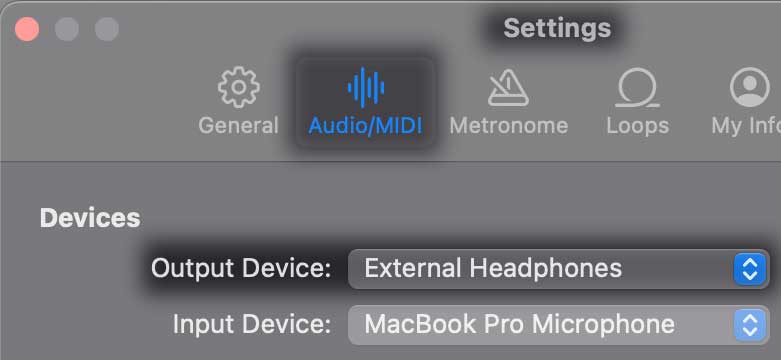
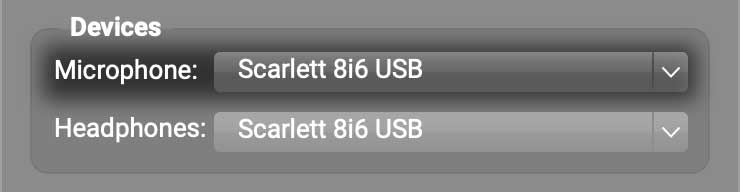
 and check whether you can re-select the video camera you were using.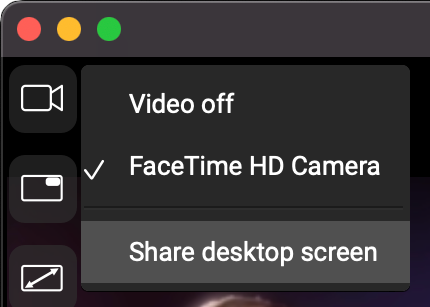

- You must be logged in to reply to this topic.