New Subscriber Authorize Issue
-
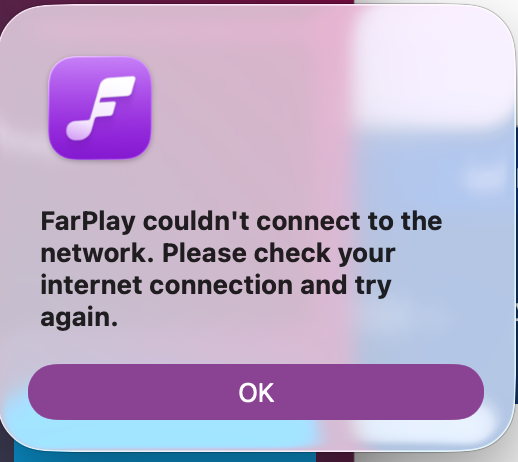
When I launch FarPlay after getting an account and subscribing for the first time the Login Subscribe Button does not show up so I can’t Authorize my devices. Upon launching app Initializing Service fails with the error message attached.
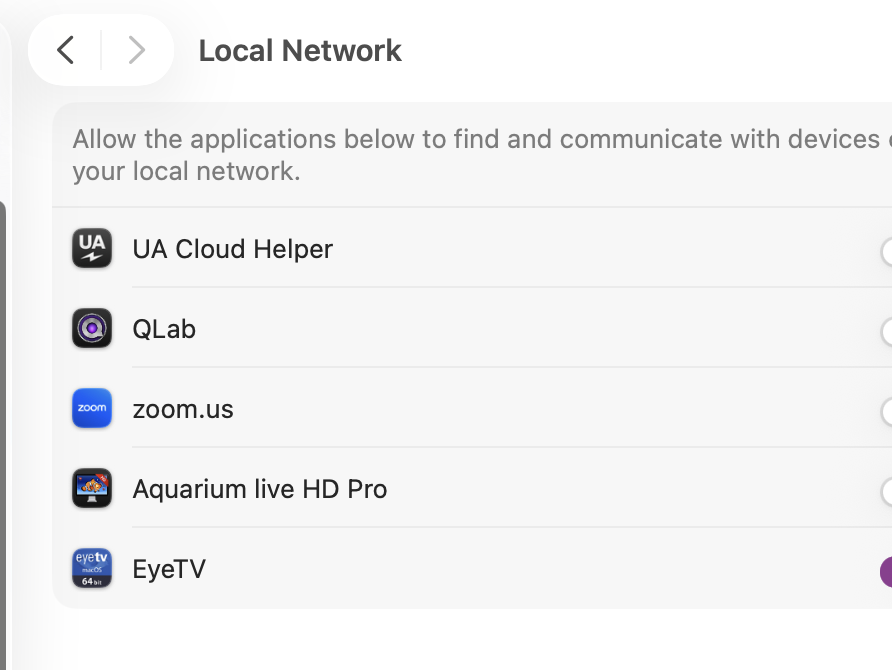
Also, FarPlay does not show up in my Privacy Security Local Network Settings see attached photo. I have a wicked fast ethernet connection so hoping this all is going to allow me to jam with my mates in other states.


-
Dear Joro,
Thank you for your screenshots! Please try the following on your Mac.
- Turn VPN off, if used.
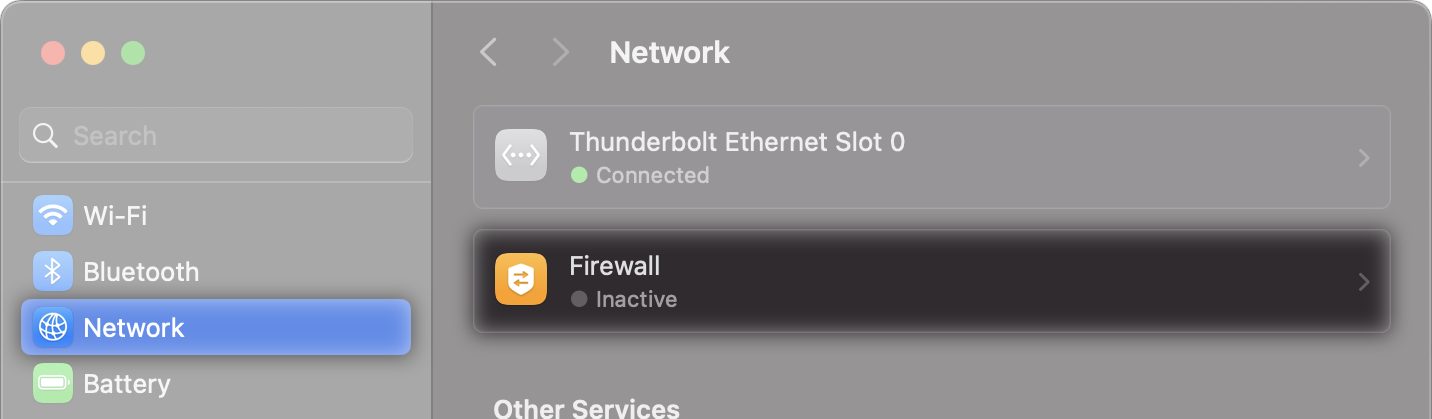
- Turn your Mac’s firewall off (System Settings > Network > Firewall). If you have another firewall as part of a 3rd-party security suite, please turn that firewall off too.

- Turn Wi-Fi off (so your Mac only connects through the Ethernet connection).
Could you share which internet provider you use?
Thank you,
David Liao-
This reply was modified 2 months, 3 weeks ago by
 David Liao.
Hello,
I don’t use VPN. I turned off WiFi and Firewall and the same issues persist. I use Verizon for provider. Thanks for quick response. Looking forward to getting things going. Using an M3 MacBook Air with OS 26.5.1. Planning on using a UA volt2 interface.
Hey new info!
I switched to WiFi and disconnected ethernet and same issues, BUT! when I switched to my iPhone hotspot(ATT) instead of Verizon the login subscribe shows up and I was able to authorized machine. Looking like my internet service needs tweaking??
Hi Joro,
Thanks for the details. Yes, let’s try troubleshooting your Mac’s Verizon internet connection.
- Please reconnect the Ethernet cable from your Mac to the Verizon router that receives the Verizon signal where it first enters the home, and turn your Mac’s Wi-Fi off. Open the Terminal. Run
scutil --proxy[Enter]. Then, runping -c 4 connect.farplay.io[Enter]. Save a screenshot of the results for both commands. -
Please then disconnect the Ethernet cable and use Wi-Fi to connect your Mac to your iPhone (ATT) hotspot and run the same Terminal commands,
scutil --proxy[Enter] and thenping -c 4 connect.farplay.io[Enter]. Save a screenshot of these results too. - Please privately email your screenshots to support@farplay.io so I can hide private information, if any, before replying here with additional suggestions.
What kind of Verizon connection do you have (FiOS or 5G home internet)?
Thank you,
David Liao-
This reply was modified 2 months, 3 weeks ago by
David Liao.
-
This reply was modified 2 months, 3 weeks ago by
David Liao.
I think I may have entered the second terminal command wrong the first time. There is a difference between ethernet verizon and hotspot ATT for the 2nd command. See attachments. Its Verizon Fios.
-
This reply was modified 2 months, 2 weeks ago by
David Liao. Reason: Deleted attached screenshots (relevant portions are in the following message)
Dear Joel,
Thank you for your screenshots. Here are the results in convenient text:
Connected by Ethernet to Verizon FiOS router
RedactedUserName@RedactedComputerName ~ % scutil —proxy{ ExceptionsList : { 0 : *.local 1 : 169.254/16 } FTPPassive : 1 } RedactedUserName@RedactedComputerName ~ % ping -c 4connect.farplay.io ping: invalid count of packets to transmit: `4connect.farplay.io' RedactedUserName@RedactedComputerName ~ % ping -c 4 connect.farplay.io PING connect.farplay.io (13.51.122.127): 56 data bytes Request timeout for icmp_seq 0 Request timeout for icmp_seq 1 Request timeout for icmp_seq 2 --- connect.farplay.io ping statistics --- 4 packets transmitted, 0 packets received, 100.0% packet loss Connected by Wi-Fi to iPhone (ATT) hotspot
RedactedUserName@RedactedComputerName ~ % scutil —proxy{ ExceptionsList : { 0 : *.local 1 : 169.254/16 } FTPPassive : 1 } RedactedUserName@RedactedComputerName ~ % ping -c 4 connect.farplay.io PING connect.farplay.io (13.51.122.127): 56 data bytes 64 bytes from 13.51.122.127: icmp_seq=0 ttl=50 time=163.070 ms 64 bytes from 13.51.122.127: icmp_seq=1 ttl=50 time=167.367 ms 64 bytes from 13.51.122.127: icmp_seq=2 ttl=50 time=200.513 ms 64 bytes from 13.51.122.127: icmp_seq=3 ttl=50 time=185.263 ms --- connect.farplay.io ping statistics --- 4 packets transmitted, 4 packets received, 0.0% packet loss round-trip min/avg/max/stddev = 163.070/179.053/200.513/14.926 Ping tests whether your Mac can get replies when sending out short messages to a computer on the internet. Indeed, the
Request timeoutresults above mean your Mac didn’t receive ping replies from connect.farplay.io when your Mac was connected by Ethernet to your Verizon FiOS router.To investigate further, please reconnect your Mac by Ethernet to your Verizon FiOS router and turn your Mac’s Wi-Fi off. Then, please run the following Terminal commands and email a screenshot of the results to support@farplay.io.
- Run
ping -c 4 8.8.8.8[Enter]. This will ping Google, and if we get “Request timeout” results, then your Verizon connection is blocking ping, which makes ping less useful as a testing tool. - Run
nc -vz -G 6 -w 6 connect.farplay.io 443[Enter]. Results might take 6 seconds. - Then run
nc -vz -G 6 -w 6 connect.farplay.io 6727[Enter]. Results for this command might also take 6 seconds.
The last two commands check for problems connecting to connect.farplay.io.
Thank you,
David Liao-
This reply was modified 2 months, 2 weeks ago by
David Liao.
I have run the commands and emailed them.
Dear Joro,
Thanks! Here’s the relevant portion of your Terminal output:
RedactedUserName@RedactedComputerName ~ % ping -c 4 8.8.8.8
PING 8.8.8.8 (8.8.8.8): 56 data bytes
Request timeout for icmp_seq 0
Request timeout for icmp_seq 1
Request timeout for icmp_seq 2

--- 8.8.8.8 ping statistics ---
4 packets transmitted, 0 packets received, 100.0% packet loss
RedactedUserName@RedactedComputerName ~ % nc -vz -G 6 -w 6 connect.farplay.io 443
Connection to connect.farplay.io port 443 [tcp/https] succeeded!
RedactedUserName@RedactedComputerName ~ % nc -vz -G 6 -w 6 connect.farplay.io 6727
nc: connectx to connect.farplay.io port 6727 (tcp) failed: Operation timed out
The
Request timeoutresults when you tried to ping Google indicate that pinging isn’t an informative test when you connect through Verizon. TheOperation timed outindicates that your Mac couldn’t use your Verizon connection to reach connect.farplay.io on port 6727. Being able to reach connect.farplay.io by TCP on port 6727 is one of our network requirements. Please try the following fix:- Connect the Mac’s Ethernet cable and turn the Mac’s Wi-Fi off.
- Go to https://192.168.1.1. When the “Your connection is not private” message appears, clicked Advanced and then click Proceed to 192.168.1.1. The message says “(unsafe)”, but it’s fine (you’re just visiting your router in your home). The exact warning messages your browser presents might be slightly different (these messages are from Chrome).
- Log in with your router’s admin username and password (check the sticker on your Verizon router if you’d like a reminder).
- Click Firewall. When a warning asks, “Do you want to proceed?”, click Yes.
- Under General > IPv4 Settings, choose Typical Security (Medium) (instead of Maximum Security (High)). Press Apply.
- Is the FarPlay app now able to get past the “Initializing service…” message?
Thank you,
David Liao-
This reply was modified 2 months, 2 weeks ago by
David Liao.
-
This reply was modified 2 months, 2 weeks ago by
David Liao.
The downgrade of IPv4 to Standard (medium) from High has let the data flow! I now see my account upon launch and can start sessions. I believe I am monitoring via the platform and the latency is negligible with a single vocal mic. Adding more inputs later and then on to a remote session with another player.
Thanks so much David. You are a tireless workhorse and educator!
Joel
Dear Joel,
You’re welcome, and thanks for sharing this happy news!
(When you monitor in a session with no one else connected, the monitoring is just through your local computer, audio interface, etc. — good for checking equipment latency before adding network latency).
Thank you,
David LiaoCool. Can’t wait for my bandmates to get set up. I will not hesitate to seek assistance moving forward. You have been great!


- You must be logged in to reply to this topic.