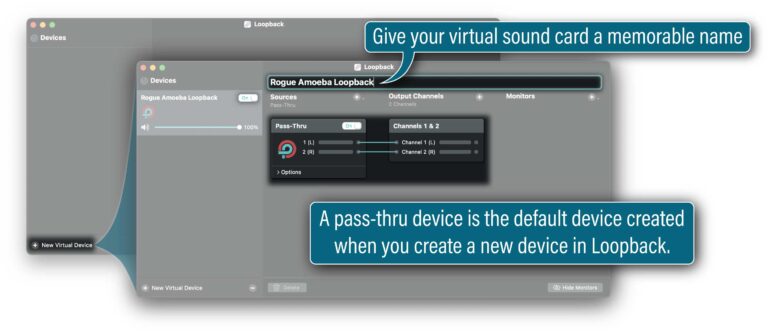
Send FarPlay’s Broadcast Output to your virtual sound card
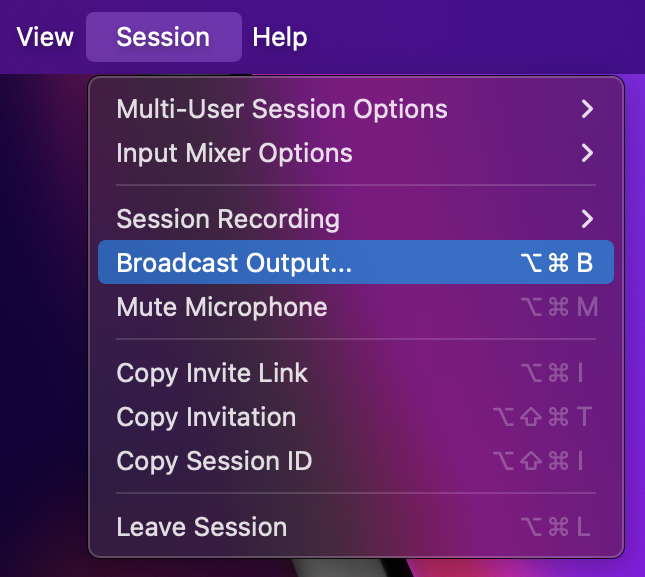
- From the Session menu, choose Broadcast Output.

- In the Broadcast Output window that appears, use the Output Device pull-down menu to select your virtual sound card, and use the channels pull-down menu to select channels 1-2.
- Set Channel Layout to Stereo Mix (2 channels).
- Set the Delay in ms. If session participants are using less reliable network connections (unstable Wi-Fi connections, for example), a delay of 1000-2000 ms might be needed, but, in most cases with connections that are stable enough for real-time interaction, 500 ms (default)-1000 ms will be enough for pristine output.
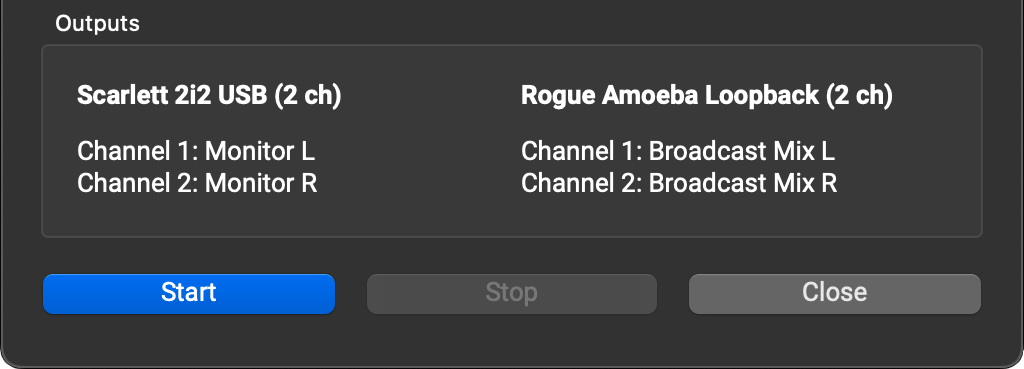
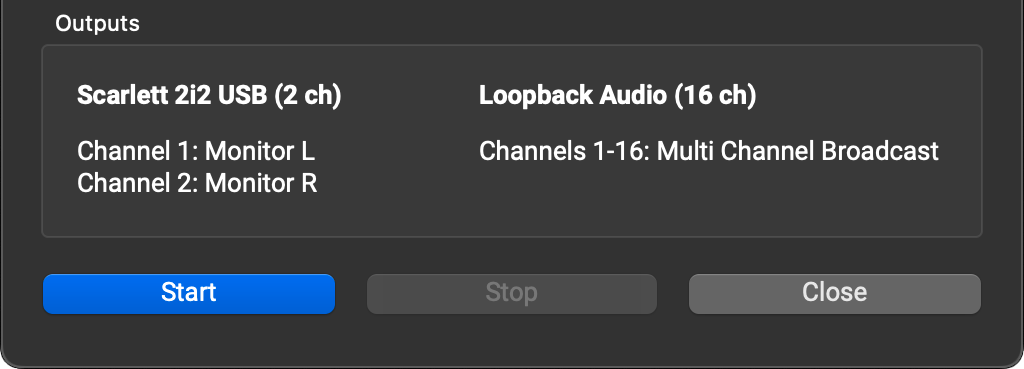
- The Outputs section shows you the devices and channels selected for headphone monitoring and Broadcast Output. The Outputs section will warn you if the channels selected for monitoring overlap with the channels selected for Broadcast Output. This creates an echo and is not recommended.
- Click the Start button to turn on Broadcast Output for the current session. A blue dot next to You (…) in the main window indicates that Broadcast Output is running.
- If you change a setting in the Broadcast Output window while Broadcast Output is running, click Apply. To exit the Broadcast Output window, click Close.
- To turn off Broadcast Output, click Stop. If you don’t click Stop, Broadcast Output automatically turns off when the session ends.





Send multichannel output to a DAW
You can send FarPlay session audio via Broadcast Output to a virtual sound card and then onward to a DAW (examples: Logic Pro and Reaper). This is useful for recording in the DAW, where you can adjust levels and add effects, like reverb. You can also send a stereo mix out from your DAW to another virtual sound card and onward to a livestreaming application.
To send multichannel output to a DAW,
-
- From the Session menu, choose Broadcast Output.
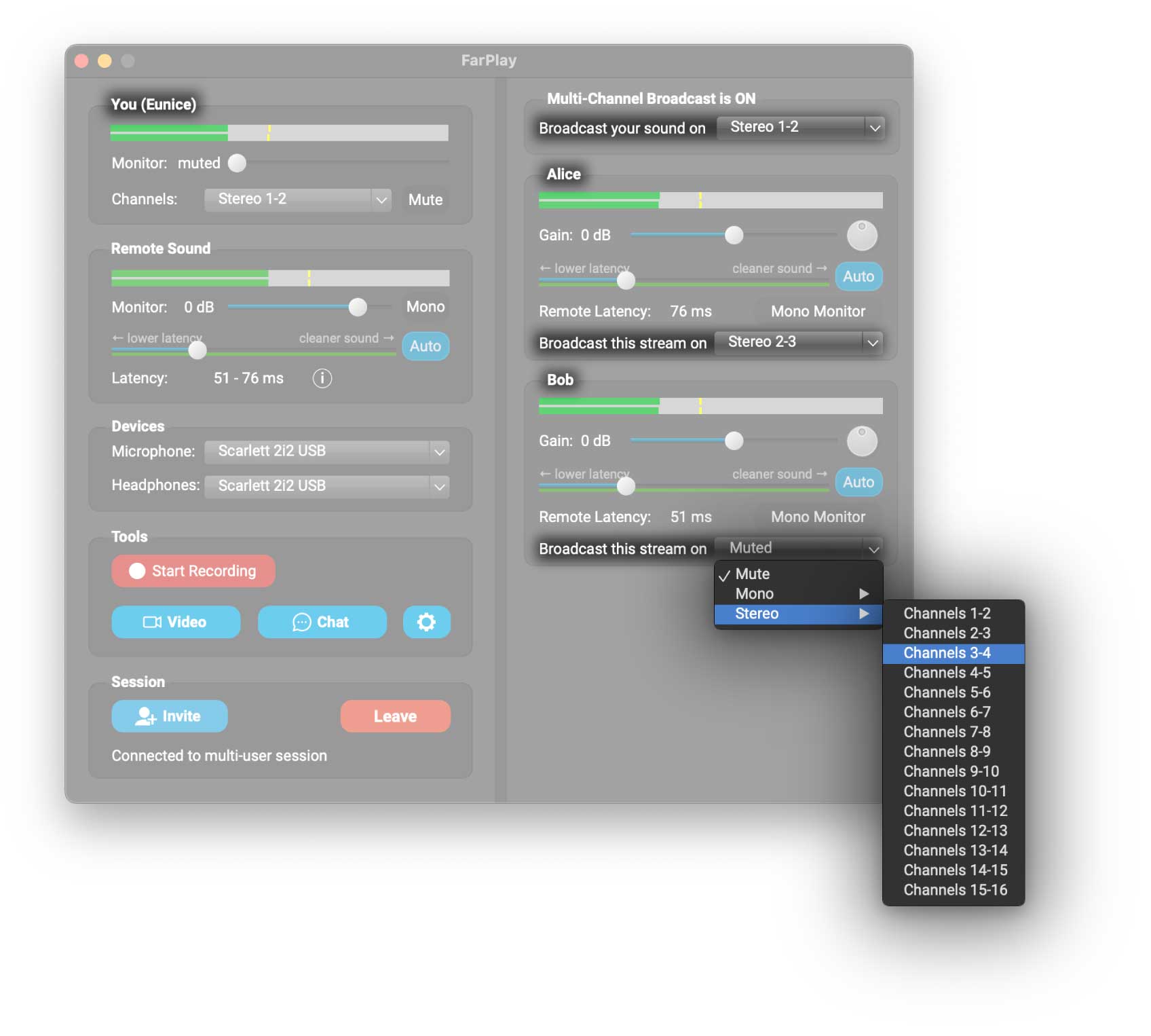
- In the Broadcast Output window that appears, select an Output Device with enough channels for the number of channels you want to output. Choose the range of channels you want to use (channels 1-16 in the example below).
- Change the Channel Layout from a simple Stereo Mix to Multichannel – Set Custom Channel per Connection (other choices are available, but this one is really intuitive to use).
- Set the Delay in ms. If session participants are using less reliable network connections (unstable Wi-Fi connections, for example), a delay of 1000-2000 ms might be needed, but, in most cases with connections that are stable enough for real-time interaction, 500 ms (default)-1000 ms will be enough for pristine output.
- The Outputs section shows you the devices and channels selected for headphone monitoring and Broadcast Output. The Outputs section will warn you if the channels selected for monitoring overlap with the channels selected for Broadcast Output. This creates an echo and is not recommended.
- Click the Start button to turn on Broadcast Output for the current session. A blue dot next to You (…) in the main window indicates that Broadcast Output is running.
- From the Session menu, choose Broadcast Output.


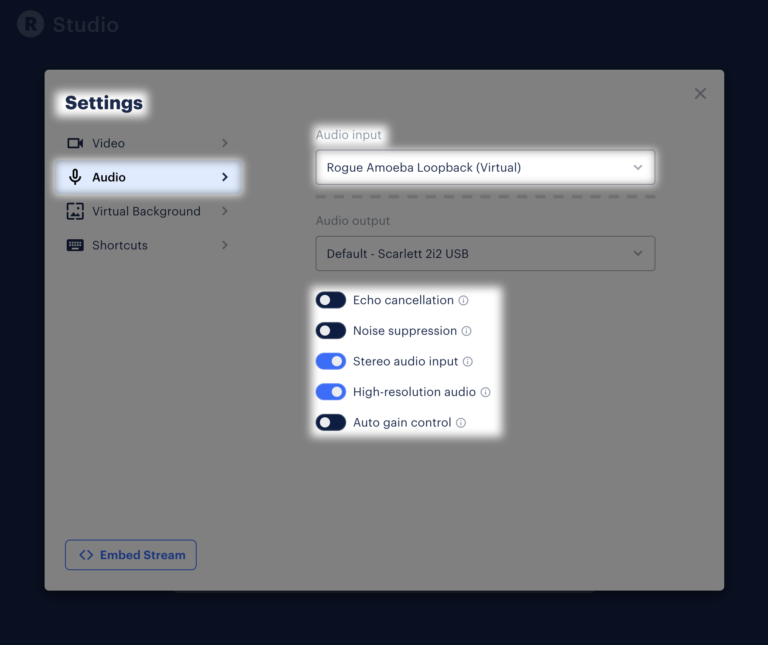
- In your DAW’s audio preferences/settings, choose as the audio input device the same virtual sound card FarPlay’s Broadcast Output is using as its output device.
- Create individual tracks in your DAW for individual channels from FarPlay’s Broadcast Output. For example, you can create a stereo track called “Eunice” that grabs input audio from channels 1 and 2.
Use your audio interface’s internal loopback feature
Instead of sending Broadcast Output to a virtual sound card, you can send Broadcast Output to channels on your USB audio interface that are routed via your audio interface’s internal loopback feature. Another application (examples: a livestreaming application or a DAW) can then grab the routed audio from your USB audio interface. Refer to your audio interface’s manual for instructions for using your audio interface’s internal routing/loopback features. (Not all audio interfaces offer a built-in loopback feature).Send video to another app (Mac)
Starting with version 1.4.0, FarPlay for Mac can send session video to other apps on your Mac that can receive Syphon video, such as a livestreaming application. This feature is available to Standard+ and FarPlay For Teachers subscribers.
- During a session, click Video in the Tools section to open the video window.
- Click the Video menu and choose Syphon Video Output.
- In the other app, choose a Syphon source. FarPlay Camera is your own video. Each other participant’s video is listed as FarPlay – [their name].
- For example, in OBS (free), click + under Sources and choose Syphon Client.
Name the source, click OK, and use the Source pull-down menu to choose [FarPlay] FarPlay Camera (your own video) or [FarPlay] FarPlay – followed by another participant’s name.
- Add one Syphon Client source for each person, and place each person’s video wherever you like.
- To turn Syphon Video Output on and off together with Broadcast Output, check Activate Syphon Video Output along with Broadcast Output in the Broadcast Output window.
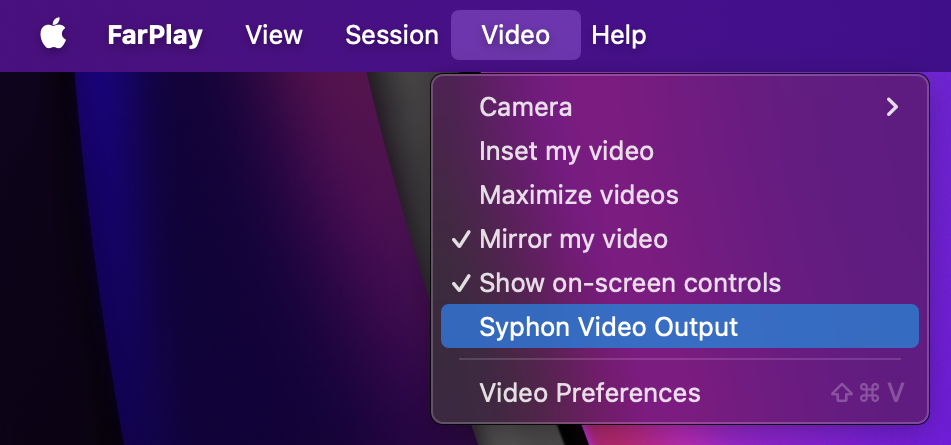
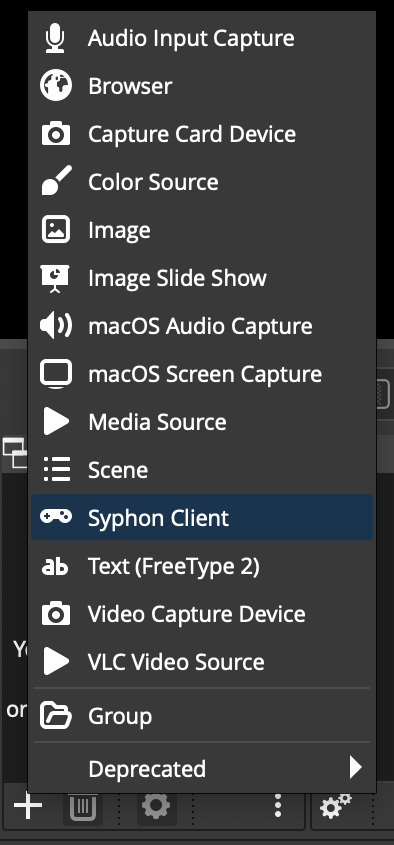 Name the source, click OK, and use the Source pull-down menu to choose [FarPlay] FarPlay Camera (your own video) or [FarPlay] FarPlay – followed by another participant’s name.

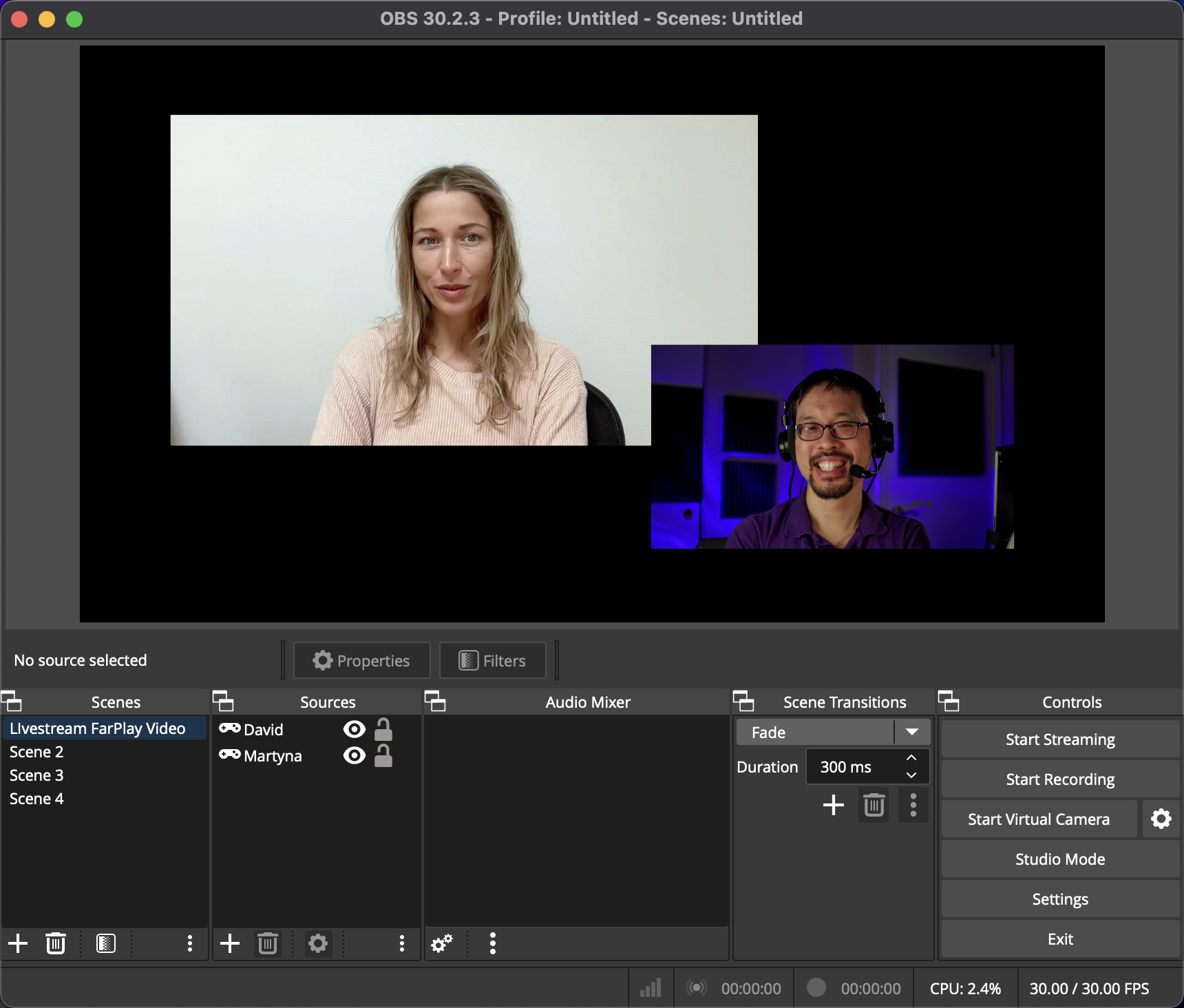

The video window must be open for Syphon Video Output to be sent. Syphon Video Output turns off when the session ends.
How it works
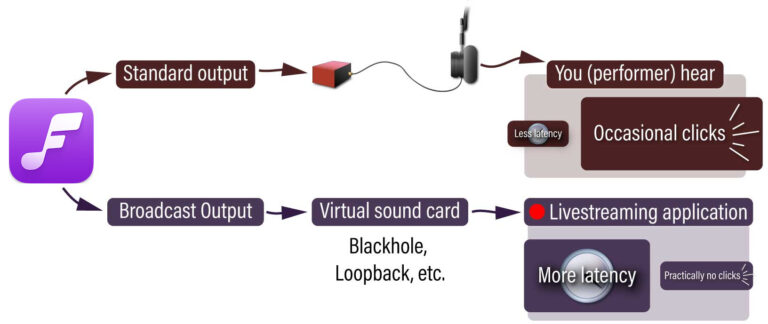
FarPlay’s latency slider lets you tune the balance between lowness of latency and cleanness of sound. You might tolerate some static (audio drop outs) to keep latency low so you can keep the beat when you’re making music. You might also want to share a higher-latency, cleaner mix of your session with a live audience. How does FarPlay let you do both at the same time?
FarPlay uses state-of-the-art error correction that handles late packets and lost packets so you can get pristine output with virtually all network connections that allow usable real-time interaction. Learn more about FarPlay’s error correction features here.